Walk into the 3D printer market in 2026 and you’ll face a fundamental fork in the road: CoreXY vs Cartesian. These two motion systems represent genuinely different engineering philosophies, and the choice affects everything — print speed, quality at speed, enclosure practicality, maintenance, and price. Pick wrong for your use case and you’ll either overpay for capability you don’t need or fight a machine that can’t do what you want.
This guide explains how each system actually works (in plain English), compares them head-to-head across the factors that matter, and gives you a clear decision framework. No brand loyalty, no hype — just the engineering trade-offs so you can buy the right machine.
How They Work: The Plain-English Version
Cartesian (Bed-Slinger)
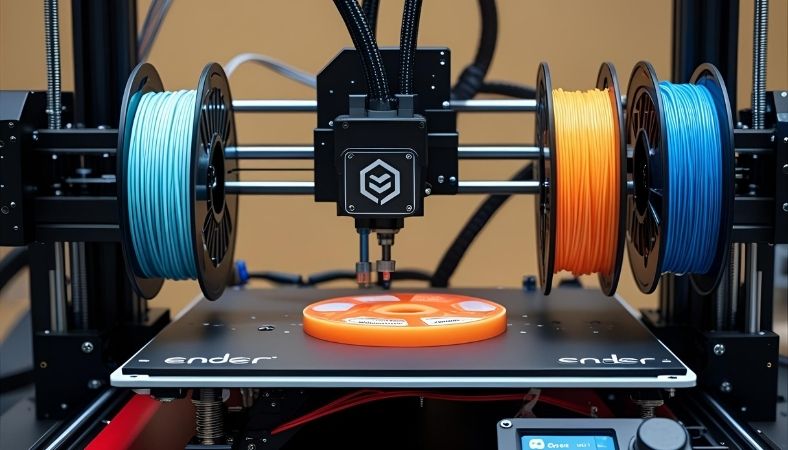
The classic design you’ve seen a thousand times: the print head moves left-right (X) on a gantry, the bed slides back and forth (Y), and the gantry rises (Z). Think Creality Ender 3, Elegoo Neptune 4 Pro, Prusa MK4. It’s called a “bed-slinger” because the bed gets flung back and forth — and at high speeds, you can feel the whole printer rocking.
CoreXY
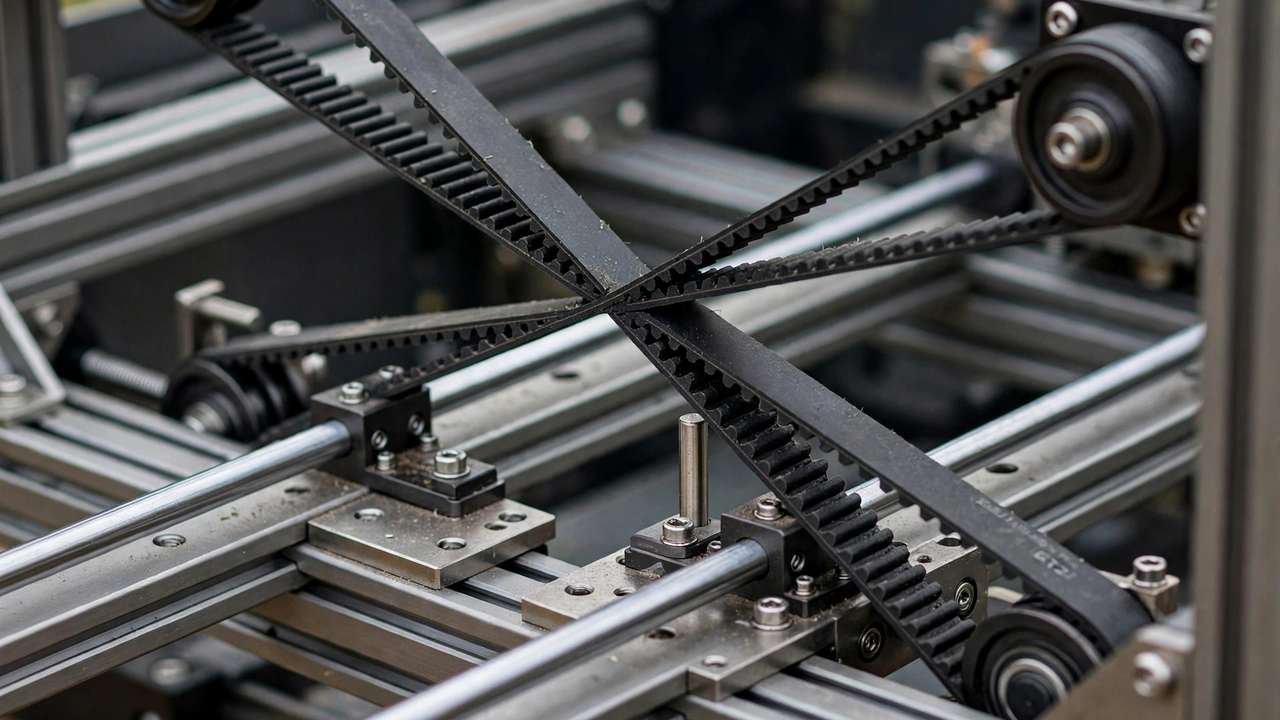
Two belts run in crossed loops from two frame-mounted motors through the toolhead. Turn both motors the same direction and the head moves along X; opposite directions and it moves along Y; any other ratio gives diagonals. The key insight: the motors never move, and the bed only moves slowly in Z. Only the lightweight toolhead and gantry accelerate in the XY plane. Think Bambu Lab P1P/X1 Carbon, Creality K1, Voron 2.4.
Why does this matter? In motion systems, moving mass is the enemy of speed. A bed-slinger has to accelerate the bed + build plate + partly-finished print in Y — and as the print grows taller, you’re shaking a taller lever. CoreXY sidesteps this entirely, which is why the same motor torque produces dramatically higher usable acceleration.
CoreXY vs Cartesian: Head-to-Head Comparison
| Factor | CoreXY | Cartesian (Bed-Slinger) |
|---|---|---|
| Print speed | Significantly faster — 300-600mm/s practical | Moderate — 100-250mm/s practical |
| Quality at speed | Better — less moving mass means less ringing | Hits vibration limits sooner, especially tall parts |
| Tall/narrow prints | More stable (bed doesn’t move in XY) | Prone to wobble as parts get taller |
| Footprint | Compact for the build volume | Needs extra room for bed travel |
| Enclosure | Excellent — boxy frame encloses naturally | Awkward — moving bed complicates sealing |
| Mechanical complexity | Higher — long belts, more idlers | Lower — straightforward to understand |
| Maintenance | Belt tension critical; more pulleys to inspect | Simpler; easier to diagnose |
| Cost | Higher starting price | Best budget value |
| Noise | Usually quieter at speed | Louder, especially the bed |
| Best for | Speed, ABS/ASA, production | Budget, beginners, casual PLA |
Sovol’s CoreXY vs Cartesian breakdown reaches the same conclusion with detailed test data — worth a read if you want a second opinion.
Where CoreXY Wins Decisively
Speed Without Quality Collapse
This is the headline advantage. Because the bed stays put, a CoreXY machine can run 2-3x the acceleration of a bed-slinger before ringing and ghosting appear. A print that takes 6 hours on a Cartesian machine might take 2.5 on a CoreXY — with better surface quality, not worse. If print time is money (a print farm, a side hustle, or just impatience), this alone justifies the premium.
Enclosed High-Temperature Printing
ABS, ASA, nylon, and polycarbonate need a warm, stable chamber. CoreXY’s boxy frame is practically begging to be enclosed — many ship that way. Enclosing a bed-slinger means building around a moving bed, dealing with cable chains flapping in the chamber, and accepting compromised sealing. If engineering materials are your goal, CoreXY isn’t just better, it’s the rational default.
Tall Parts
Anyone who’s watched a tall, thin print wobble on a bed-slinger understands this viscerally. The bed throwing a 200mm tower back and forth at 3,000mm/s² is a recipe for layer shifts or toppled prints. CoreXY’s stationary bed handles tall geometry with composure.
Where Cartesian Still Makes Sense
To be fair, CoreXY isn’t always the answer:
- Budget under AU$400: Bed-slingers dominate the entry level. An Ender 3 V3 SE or Neptune 4 (non-Pro) delivers remarkable quality per dollar for casual PLA printing.
- Simplicity: Fewer belts, easier belt changes, more intuitive troubleshooting. When something goes wrong at 11pm, you’ll appreciate being able to see exactly what’s happening.
- Modding and learning: The open Cartesian architecture is a tinkerer’s playground — every part is accessible and the upgrade ecosystem is enormous.
- Occasional PLA printing: If you print a few times a month in PLA and don’t care about speed, a simple Cartesian machine is easier to live with and cheaper to own.
For first-time buyers weighing these trade-offs, our choose your first 3D printer guide walks through the decision step by step.
Real-World Examples
- Cartesian bed-slingers: Creality Ender 3 V3 series, Elegoo Neptune 4/4 Pro, Prusa MK4, Sovol SV06
- CoreXY machines: Bambu Lab P1P/P1S/X1 Carbon, Creality K1/K1C/K2, Qidi Plus4, Voron 2.4/Trident (DIY), Sovol SV08
Our Creality K1 vs Bambu Lab P1P comparison pits two popular CoreXY machines against each other, while Voron vs Bambu Lab explores the DIY-vs-appliance end of the CoreXY spectrum.
The Maintenance Reality Check
CoreXY’s complexity has a maintenance cost worth understanding before you buy:
- Belt tension is critical. Both belts must be at equal tension, checked every few hundred print hours. Unequal tension causes skewed prints — a failure mode bed-slingers don’t have.
- More idlers to inspect. A typical CoreXY has 6-10 idler pulleys. A failing bearing in any of them introduces artefacts.
- Frame squareness matters more. CoreXY assumes a rigid, square frame — Klipper’s input shaping in particular expects consistent, predictable vibration. A wobbly frame undermines the whole design.
- But: no moving bed means no bed carriage wheels to wear, no bed cables flexing thousands of times, and no Y-axis eccentric nuts to adjust. It balances out.
Decision Framework: Which Should You Buy?
The CoreXY vs Cartesian decision comes down to what you print most. Buy CoreXY if you: want maximum speed, print ABS/ASA/nylon, run a print farm or side hustle, print tall parts, or want an enclosed machine. The premium pays for itself in time saved.
Buy Cartesian if you: are budget-constrained, print mainly PLA/PETG casually, value simplicity and easy maintenance, or are buying your first printer and want the gentlest learning curve.
The 2026 reality: the price gap has narrowed dramatically. CoreXY machines now start where mid-range Cartesians sat two years ago. If your budget stretches to AU$600-800, CoreXY is increasingly the default recommendation — the Cartesian bed-slinger is becoming the budget specialist rather than the default choice.
Myths Debunked
- “CoreXY is always more accurate.” Not automatically. A well-tuned Cartesian with quality components out-prints a sloppy CoreXY with loose belts. Motion system sets the ceiling; build quality and tuning determine where you land under it.
- “Bed-slingers can’t print fast.” With Klipper input shaping, modern bed-slingers like the Neptune 4 Pro hit 300-500mm/s. They’re slower than equivalent CoreXY machines, but “slow” is relative — they’re 3x faster than 2020-era printers.
- “CoreXY is too complex for beginners.” Pre-assembled CoreXY machines (Bambu P1S, K1C) are as beginner-friendly as anything on the market. The complexity argument applies to DIY kits and self-sourced builds, not appliances.
- “Cartesian is obsolete.” The Prusa MK4S — a Cartesian bed-slinger — remains one of the most respected printers in the world. Obsolete designs don’t get flagship updates.
- “You need CoreXY for ABS.” You need an enclosure for ABS. CoreXY encloses more elegantly, but plenty of excellent ABS prints come from enclosed Cartesians.
2026 Recommendations by Budget (Australia)
- Under AU$400 — Cartesian: Creality Ender 3 V3 SE. Unbeatable value for learning and casual PLA printing. Nothing in CoreXY touches this price.
- AU$400-600 — Cartesian speed: Elegoo Neptune 4 Pro. Klipper-powered speed demon that embarrasses printers twice its price on PLA throughput.
- AU$600-900 — CoreXY entry: Creality K1 SE or Sovol SV08. Genuine CoreXY speed and enclosed printing without the premium price.
- AU$900-1,400 — CoreXY sweet spot: Bambu Lab P1S. The “just works” enclosed CoreXY with a massive community and AMS multi-colour option.
- AU$1,400+ — Flagship: Bambu Lab X1 Carbon or Prusa Core One. Diminishing returns for most users, but the best print experience money buys.
Prices shift with sales — check current Australian listings before buying, and factor in filament and accessory costs when comparing.
What About Delta and Other Designs?
CoreXY and Cartesian dominate the market, but they’re not the only kinematics:
- Delta printers (e.g., FLSUN V400): The print head hangs from three arms, moving in all three axes simultaneously. Extremely fast for their size and mesmerising to watch, but the round build plate wastes space, calibration is fiddly, and the ecosystem has shrunk as CoreXY took over the speed crown.
- Polar printers: Essentially extinct in the consumer market. Interesting historically, irrelevant practically.
- Fixed-gantry / IDEX Cartesian: Printers like the Prusa XL keep the gantry fixed in Z and move the bed down — a Cartesian variant that captures some CoreXY advantages (no moving mass in XY) while keeping Cartesian simplicity. The best of both worlds for multi-tool setups.
- Belt printers (CR-30 style): A Cartesian variant with a conveyor belt bed for infinite-Z printing. Niche but unbeatable for long parts like cosplay swords.
For 99% of buyers in 2026, the choice is CoreXY vs Cartesian bed-slinger. The exotics are fun but rarely the right answer for a primary machine.
The Klipper Factor
Worth noting: much of the modern speed gap comes from firmware, not just mechanics. Klipper’s input shaping lets both designs punch above their weight — a Klipper-tuned bed-slinger embarrasses a Marlin CoreXY. When comparing printers, check the firmware as well as the frame. Our Klipper guide explains what input shaping does and why it matters.
Future Outlook: Where Motion Systems Are Heading
The CoreXY/Cartesian debate is evolving. A few trends to watch:
- The gap is narrowing at the top: Klipper input shaping has done more for print quality than any frame redesign. A well-tuned 2026 bed-slinger embarrasses a 2022 CoreXY.
- Hybrid designs are emerging: Fixed-gantry Cartesians (Prusa XL style) and toolchanger architectures blur the categories.
- Speed is plateauing as a selling point: Above ~500mm/s, material science — not mechanics — becomes the limit. Expect the next battleground to be multi-material, automation, and AI-assisted calibration rather than raw velocity.
- CoreXY keeps winning the enclosure game: As engineering materials go mainstream, the boxy CoreXY frame’s natural affinity for chambers is a structural advantage that won’t go away.
Buy for your needs today, not for where the technology might go. Both designs will serve well for years — the right choice is the one that matches your materials, budget, and patience for tinkering.
Bottom line: There’s no universally “better” system — only the better system for your specific needs, budget, and temperament. A AU$300 Cartesian that prints beautiful PLA parts every single weekend beats a AU$1,200 CoreXY gathering dust because its owner found belt tuning intimidating. Buy the machine you’ll actually use and genuinely enjoy, and you’ll make the right choice.
Frequently Asked Questions
Is CoreXY always better than Cartesian?
No. CoreXY wins on speed, tall parts, and enclosed printing; Cartesian wins on cost, simplicity, and ease of maintenance. For casual PLA printing on a budget, Cartesian remains excellent.
Why are CoreXY printers faster?
Because the motors are frame-mounted and only the lightweight toolhead moves in XY. The same motor torque produces much higher acceleration than a design that must fling a heated bed back and forth.
Are CoreXY printers harder to maintain?
They need more attention to belt tension (both belts equal, checked regularly) and have more idler pulleys. In exchange, there’s no moving bed carriage to wear out.
Can I enclose a bed-slinger for ABS?
Yes, with caveats — tent-style enclosures work, but the moving bed complicates sealing and cable management. It works; it’s just less elegant than a native CoreXY enclosure.
What’s the best budget CoreXY in 2026?
The Creality K1 SE and Sovol SV08 compete hard at the affordable end, while Bambu Lab’s P1S remains the polish champion. Compare current Australian pricing before deciding — sales shift the value equation constantly.