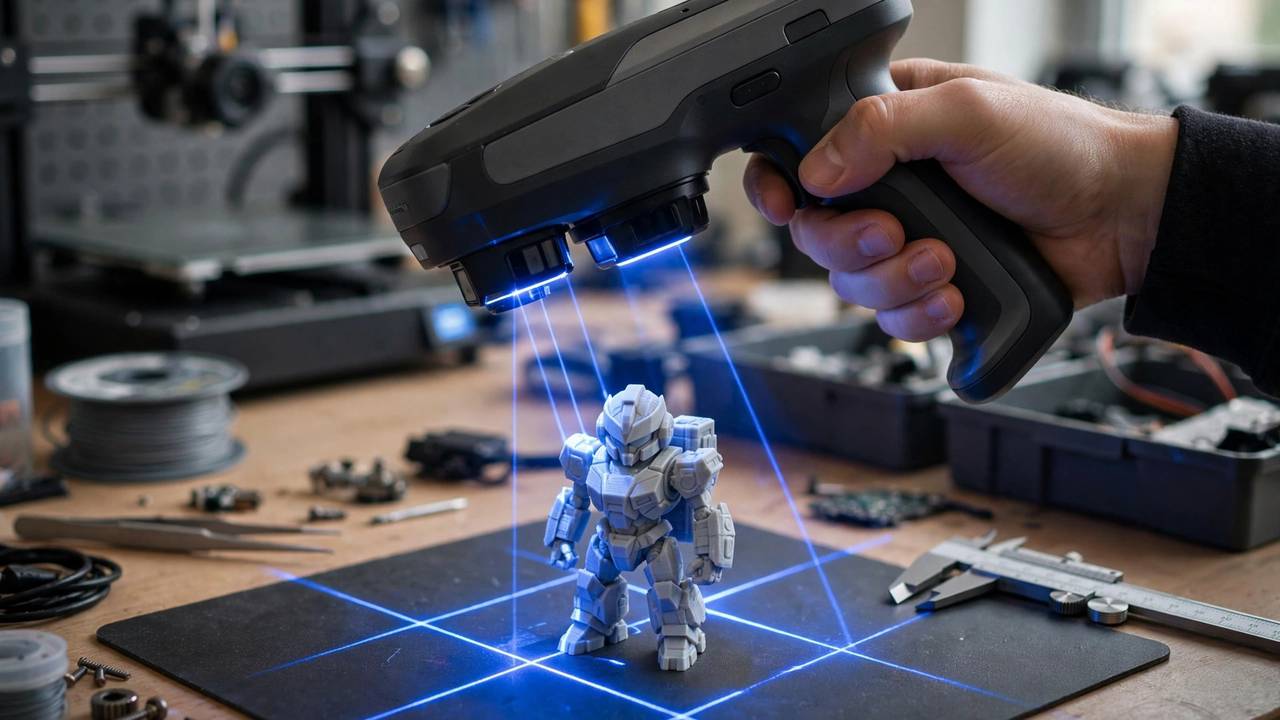
Finding the best budget 3D scanner used to mean choosing between a flaky Kickstarter gadget and a secondhand industrial unit with software from 2014. Not anymore. In 2026, a few hundred dollars buys a genuinely capable handheld scanner with markerless tracking, colour capture, and software that won’t make you cry. Whether you want to digitise a broken dishwasher knob, scan a mate’s face for a custom figurine, or reverse-engineer a bracket the manufacturer stopped making in 2009, there’s a budget scanner for the job. This guide compares six current models you can actually buy — verified specs, realistic pricing, and the honest limitations nobody puts on the box.
What “Budget” Means in 2026
The budget tier in 2026 sits roughly between AU$450 and AU$1,100 — that’s about US$300 to US$700 at typical street pricing. Below that, you’re looking at phone apps (fine for fun, not for dimensions) or DIY kits. Above it, you enter the prosumer range with blue-laser metrology features that most hobbyists will never fully exploit.
Prices move constantly — manufacturers run aggressive sales, and Australian landed prices vary with stock and shipping. The AUD figures below are approximate conversions from verified 2026 street prices; treat them as a guide and check current listings at Aussie specialists like Bilby 3D or 3D Fillies, plus the manufacturers’ own AU storefronts, before buying. What matters more than the exact dollar figure is the spec sheet: single-frame accuracy, working distance, and whether the scanner handles the size of objects you actually want to scan.
A quick note on specs: every accuracy figure in this guide is the manufacturer’s best-case, single-frame number. Real-world accuracy on a complete multi-frame scan is always a bit worse, because tiny alignment errors accumulate as you sweep around an object. A scanner rated at 0.05 mm won’t reliably capture a 0.05 mm feature — but it’ll comfortably reproduce anything your FDM printer can make, since most desktop printers hold around ±0.1 mm anyway.
Best Budget 3D Scanner: The Six Picks for 2026
1. Creality CR-Scan Ferret Pro — The All-Rounder (~AU$560)
The Ferret Pro is the scanner we recommend most often to makers buying their first dedicated unit, and it’s easy to see why. Creality’s official store lists it around US$359 on sale, and for that you get 0.1 mm accuracy, scanning up to 30 frames per second, and a 105-gram body you can genuinely hold one-handed for extended sessions. It scans objects from 150 mm up to 2 metres, works over WiFi 6 or USB, and runs on a built-in battery for about 2.5 hours — so you’re not tethered to a desk.
The standout trick is its outdoor capability: the optics handle bright conditions up to 30,000 lux, so you can scan in the backyard without tracking falling apart. The 24-bit colour camera captures full-colour textures, and it even handles black and metallic surfaces that defeat lesser scanners. For digitising helmets, car parts, busts, and household objects for 3D printing, this is the sweet spot of price versus capability.
2. Revopoint INSPIRE — The Beginner’s Best Friend (~AU$620)
Revopoint’s INSPIRE (retail around US$399) is deliberately designed for people who have never scanned anything in their lives. The 9-axis IMU knows where the scanner is in space, so you get stable tracking without plastering your object in marker dots, and the Revo Scan software coaches you in real time — too fast, too close, missed a patch — like a patient tutor looking over your shoulder.
Specs are modest: up to 0.2 mm single-frame accuracy, up to 18 fps, 140 g, dual-camera infrared structured light with a 250–500 mm working distance. That’s the trade-off for the friendliness — fine detail and tiny objects aren’t its strong suit, and the 50 mm minimum scan volume rules out miniatures. But if your goal is scanning medium-sized objects (roughly 5 cm to half a metre) with minimum frustration, the INSPIRE gets you from unboxing to a usable mesh faster than anything else at this price. If you want to dig into how the software side works before buying, our Creality scanner software guide covers the general scan-to-mesh workflow that applies across brands.
3. 3DMakerpro Moose Lite — The Geometry Specialist (~AU$620)
The Moose Lite takes a different philosophy: no colour camera, no wireless, no frills — just clean geometry at up to 0.05 mm accuracy for around US$399. It uses near-infrared structured light with AI-assisted markerless tracking, captures at 0.1 mm resolution, and exports straight to STL, OBJ, or PLY from the free JMStudio software (Windows and Mac, processed locally on your machine).
The catch is right there in the spec sheet: it’s monochrome only, and it’s USB-tethered to a PC. If you’re scanning for 3D printing or reverse engineering — where shape is everything and colour is irrelevant — those are easy sacrifices, and you get noticeably better accuracy per dollar than the friendlier picks above. You’ll want a reasonably capable computer, though; dense meshes are hungry work. This is the pick for the maker who measures twice and wants the scan to agree with the calipers. For the full journey from scan to finished print, see our guide on turning 3D scans into printable models.
4. Creality CR-Scan Otter — The Step Up (~AU$650–700)
Sitting one rung above the Ferret Pro, the CR-Scan Otter (street price around US$400–450) upgrades accuracy to 0.05 mm with a hybrid blue-laser and infrared system. That laser assist matters: it holds tracking on trickier surfaces and pulls in finer detail, making the Otter the better choice if your scanning leans toward mechanical parts, detailed props, or anything where the Ferret Pro’s 0.1 mm starts to feel coarse.
You keep the Creality ecosystem advantages — approachable software, broad OS support, and a workflow tuned for 3D printing — while gaining meaningful headroom for detailed work.
5. Revopoint POP 3 Plus — The Colour Pick (~AU$950–1,050)
At the top of our budget band (around US$619–699), the POP 3 Plus is for makers who care about how the scan looks, not just its shape. Up to 0.05 mm accuracy with 0.05 mm point distance, dual infrared plus white LED lighting, a 9-axis IMU, and proper RGB colour capture make it the strongest choice here for figurines, product visualisation, and game-asset work.
It scans at 12–18 fps over WiFi 6 or USB-C, weighs 190 g, and exports to every format you’ll need — PLY, OBJ, STL, 3MF, GLTF, FBX. Reviewers consistently rate its meshes as needing the least cleanup of any scanner in this class, which is worth real money in saved evenings.
6. SHINING 3D Einstar — The Big-Object Specialist (~AU$1,100)
SHINING 3D is an industrial scanner company, and the Einstar (around US$999) brings a bit of that DNA to the maker price bracket. Its party trick is comfortable scanning of larger subjects — it’s a popular choice for body scanning, cosplay armour fitting, and heritage work — with 0.1 mm accuracy, infrared structured light, and RGB colour capture.
This is the “stretch” pick: the most expensive scanner here, and you feel it in build quality and software maturity rather than raw spec-sheet numbers. If your scanning ambitions run to full torsos, furniture, or vehicle panels rather than desk toys, the Einstar’s larger capture volume earns its premium. For small detailed objects, the cheaper 0.05 mm scanners above will out-resolve it.
Comparison Summary
| Scanner | Accuracy | Speed | Weight | Colour | Approx. AUD | Best for |
|---|---|---|---|---|---|---|
| Creality CR-Scan Ferret Pro | 0.1 mm | 30 fps | 105 g | Yes | ~$560 | First scanner, general use |
| Revopoint INSPIRE | 0.2 mm | 18 fps | 140 g | Yes | ~$620 | Absolute beginners |
| 3DMakerpro Moose Lite | 0.05 mm | 10 fps | ~280 g | No | ~$620 | Reverse engineering |
| Creality CR-Scan Otter | 0.05 mm | — | — | Yes | ~$650–700 | Detailed parts on a budget |
| Revopoint POP 3 Plus | 0.05 mm | 18 fps | 190 g | Yes | ~$950–1,050 | Colour figurines, assets |
| SHINING 3D Einstar | 0.1 mm | 14 fps | — | Yes | ~$1,100 | Bodies, large objects |
Prices are approximate conversions from verified 2026 street pricing and move with sales — confirm current AUD pricing with the retailer before buying.
Best Budget 3D Scanner Recommendations by Use Case
- Your first scanner, general maker use: Creality CR-Scan Ferret Pro. Wireless, light, colour, outdoor-capable, and cheap enough that you won’t baby it.
- You’ve never scanned anything and want zero frustration: Revopoint INSPIRE. The guided software and IMU tracking genuinely flatten the learning curve. Full specs are on Revopoint’s official INSPIRE page.
- Reverse engineering and functional parts: 3DMakerpro Moose Lite. Best accuracy per dollar, and you don’t pay for a colour camera you’ll never use.
- Miniatures, figurines, and detailed props: Revopoint POP 3 Plus. The 0.05 mm resolution plus colour capture is the combo that matters here.
- Cosplay, bodies, and big objects: SHINING 3D Einstar. Built for larger capture volumes where the small-object specialists struggle.
- Tightest possible budget: honestly, try a phone app like Polycam or Scaniverse first. Free LiDAR-based scanning won’t match any scanner here for accuracy, but it’ll tell you whether you enjoy the workflow before you spend a cent.
Honest Limitations of Budget Scanning
Every scanner above is good, and every one will frustrate you in the same handful of ways. Knowing them upfront saves a lot of swearing.
Tracking loss is normal. Scanners track by recognising surface features as you move. Point one at a smooth, featureless object — a plain white bowl, a glossy car panel — and it loses its place. The fixes are markers (little reflective dots), scanning spray, or choosing objects with some surface character. Budget scanners are more susceptible than industrial units; it’s physics, not a defect.
Shiny, dark, and transparent surfaces are the enemy. Structured light needs light to bounce back predictably. Mirrors, chrome, black plastic, and clear resin all scatter or swallow the pattern. A light coat of matte scanning spray (AESUB is the well-known brand; it evaporates without residue) transforms an unscannable object into an easy one. Budget for a can.
Your computer matters. Real-time point cloud processing is demanding. Manufacturers recommend modern multi-core CPUs and 16 GB+ of RAM, and a weak laptop will turn a smooth scan into a slideshow. Check the minimum specs before you buy — a $600 scanner paired with a struggling machine is a $600 paperweight.
Cleanup is part of the job. No budget scan comes out print-ready. Expect to spend 10–30 minutes per scan filling holes, removing noise, and making the mesh watertight in Meshmixer or Blender. The better the scanner, the less cleanup — but it’s never zero.
Accuracy specs are best-case. As noted earlier, single-frame accuracy degrades across a full scan. For decorative and hobby prints this never matters. If you’re reverse-engineering a part that must mate with another component, verify critical dimensions with calipers and adjust the model — don’t trust any budget scan blindly for press fits.
Frequently Asked Questions
What is the best budget 3D scanner for beginners?
The Revopoint INSPIRE is the easiest first scanner thanks to its 9-axis IMU tracking and guided Revo Scan software, at around US$399. If you’d rather have more versatility for the money, the Creality CR-Scan Ferret Pro (around US$359) adds wireless scanning, outdoor capability, and a wider object range with only a slightly steeper learning curve.
How much should I spend on a budget 3D scanner in 2026?
The sweet spot is roughly AU$550–700 (about US$360–450), which buys proven models like the Creality CR-Scan Ferret Pro, Revopoint INSPIRE, or 3DMakerpro Moose Lite. Stretching to around AU$1,000 gets you finer detail and colour with the Revopoint POP 3 Plus. Below ~AU$450, you’re in phone-app or DIY-kit territory.
Can a budget 3D scanner capture enough detail for 3D printing?
Yes, comfortably. Most desktop FDM printers hold around ±0.1 mm, and every scanner in this guide meets or beats that. The 0.05 mm scanners (Moose Lite, Otter, POP 3 Plus) capture detail finer than your printer can reproduce. Budget scanners struggle with very small objects under ~20–50 mm, where a dedicated small-format scanner earns its keep.
Do I need scanning spray with a budget scanner?
Not always, but you’ll want a can eventually. Shiny, transparent, very dark, or featureless surfaces defeat structured-light tracking, and a light coat of matte scanning spray makes them scannable. Some newer scanners (like the Ferret Pro and laser-assisted models) handle dark and metallic surfaces better than older designs, but spray remains the universal fix.
Will a 3D scanner work with my 3D printer?
Yes — all scanners export standard mesh formats (STL, OBJ, PLY) that every slicer accepts, regardless of printer brand. There’s no such thing as a scanner that’s only compatible with one printer. The workflow is always the same: scan, clean up the mesh, export STL, slice, print.
Is a phone LiDAR app enough instead of buying a scanner?
For visualisation and rough captures, phone apps like Polycam or Scaniverse are surprisingly good and free. But they’re not dimensionally accurate enough for reverse engineering or parts that must fit together. If your goal is functional scan-to-print work, a dedicated scanner is worth the investment.