Phone accessories are the perfect first functional prints: small, fast, genuinely useful, and endlessly customisable. But not all 3D printed phone accessories are worth the filament — for every brilliant design there are ten flimsy gimmicks that snap in a week. This guide covers the accessories actually worth making, the materials that survive daily use, and the print settings that separate a desk-worthy piece from landfill.
Why phones? Because the use case is universal and the iteration loop is fast. A phone stand prints in under two hours, so you can test, tweak, and reprint in a single evening. And unlike decorative prints that gather dust, a well-designed phone accessory earns its place on your desk every single day — which also makes these some of the best-selling items for makers running a small 3D printing side business in Australia.
Choosing the Right Material
Material choice makes or breaks phone accessories. Here is the honest breakdown:
- PETG — the default choice. Tough, slightly flexible, survives drops and warm cars. Our PETG settings guide will get you printing it cleanly.
- TPU (95A) — for cases, grips, and anything that needs to flex. Prints slowly and needs a direct-drive extruder ideally, but the results feel premium.
- PLA — fine for desk stands and holders that never leave the house, but it softens in a hot car (60°C+ in an Australian summer will warp PLA).
- ASA — the premium option for car mounts and outdoor use; UV-stable and heat-resistant, but needs an enclosure and ventilation.
For anything that lives in a car or near a window in Australia, rule out PLA immediately. Our summers are brutal on it.
Phone Stands: The Gateway Print
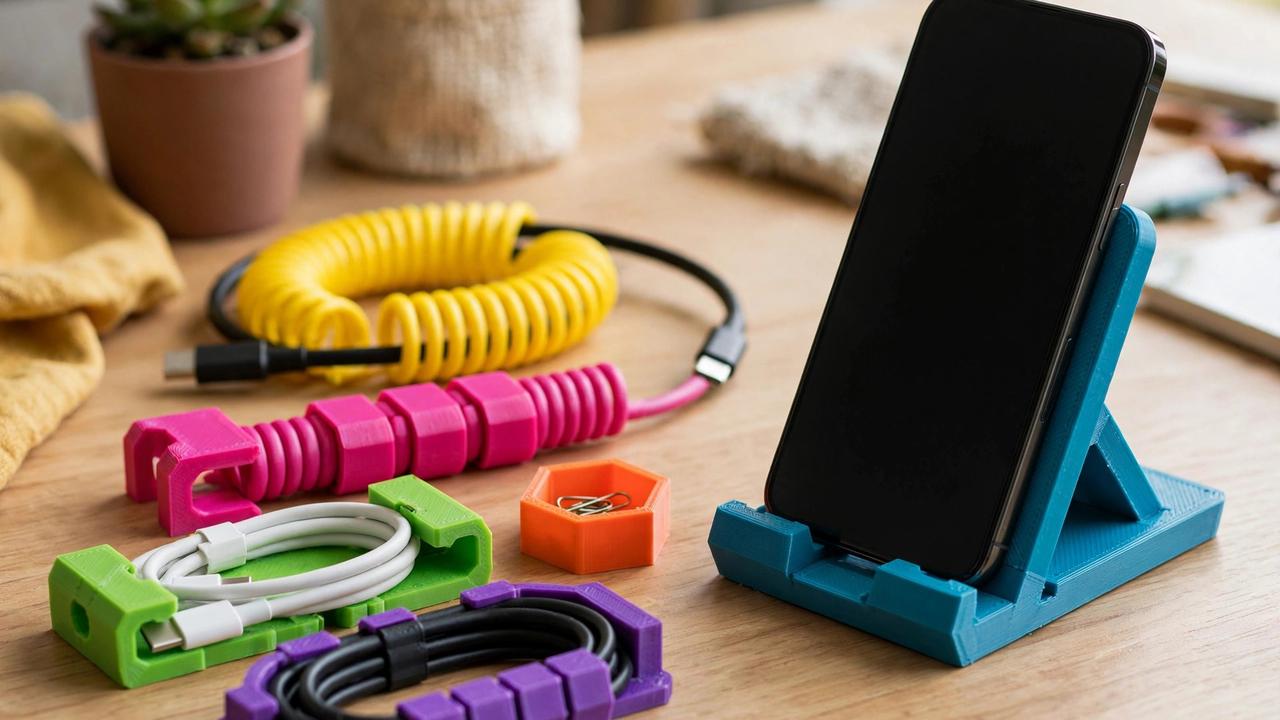
The humble phone stand remains the single best first functional print. A good parametric stand — one where you can adjust the angle, width, and cable cutout — teaches you more about design for function than a dozen decorative models. Look for designs with a wide base (stability), a cable routing slot (so the phone charges while docked), and an angle around 60–70 degrees for comfortable viewing.
Print stands on their side or back where possible so layer lines run along the stress direction rather than across it — a stand printed upright can snap at the layer lines when you press the phone in firmly. A 0.2 mm layer height with 4 walls and 25% infill gives a stand that feels solid, not hollow. Add small TPU feet or stick-on rubber pads to stop it sliding on the desk. If you want a premium feel, enable ironing on the top surfaces in your slicer — it smooths the visible faces to a near-injection-moulded finish with no extra hardware.
Car Mounts and Holders
Phone mounts for cars are where 3D printing genuinely shines — every car interior is different, and commercial mounts are one-size-fits-none compromises. The best approach is a two-part system: a vehicle-specific base (vent clip, CD-slot mount, or suction cup adapter) paired with a universal phone cradle, ideally MagSafe-compatible for iPhones or with adjustable arms for Android.
Material is critical here: use ASA or PETG at minimum. A PLA mount will deform on the first 40°C day — and in most of Australia, that is not a hypothetical. Design considerations that matter: vibration resistance (add rubber dampening or print in TPU for grip surfaces), one-handed operation (you should be able to dock the phone without looking), and keeping the phone out of direct airflow from the heater. Check your state’s road rules on phone mounting positions too — mounting must not obstruct your view of the road.
Cases and Bumpers
Printing a full phone case is harder than it looks. Tolerances are tight — half a millimetre off and buttons do not click or the case will not snap on. TPU at 95A hardness is the material of choice; it prints like a firm rubber and provides genuine drop protection. Print slowly (25–35 mm/s), disable retraction or keep it minimal (TPU strings and jams with aggressive retraction), and dry the filament thoroughly — wet TPU is unprintable.
A more forgiving project is a bumper-style case: printed edges that protect corners with an open back showing the phone. These need less precision, print faster, and still guard against the drops that crack screens. For camera protection, make sure the bumper stands at least 1 mm proud of the lens housing.
MagSafe and Magnetic Mounts
If you use an iPhone 12 or newer (or a MagSafe-compatible Android case), magnetic mounting opens elegant design options. Small neodymium magnets (typically 10×2 mm discs) press-fit into printed holders create mounts with no moving parts — just bring the phone near and it snaps into place. Design the magnet pockets 0.1–0.2 mm undersized for a friction fit, and secure with a drop of CA glue.
Popular applications: desk docks that hold the phone at a video-call angle, bedside stands with cable routing, and car vent mounts. One caution — keep strong magnets away from magnetic-stripe cards, and test that your mount holds over bumps before trusting it on rough roads.
Cable Management and Docking Stations
The unglamorous winners. Cable clips, under-desk cable trays, and multi-device docking stations are the prints visitors notice and ask about. A well-designed charging station — phone slot, watch charger recess, earbud case hollow, all with cable channels underneath — turns a tangle of chargers into a single tidy object. These make excellent gifts and, for sellers, reliable products because everyone has the same messy-desk problem.
Design tip: measure your actual cables’ connector dimensions rather than guessing. A Lightning or USB-C cutout that is 0.5 mm too tight turns a dock into a frustration object. Print a small test piece of just the connector cutout before committing to a six-hour dock print. The same applies to watch chargers and earbud cases — a five-minute calliper measurement saves hours of reprinting, and it is a habit that will serve every functional print you ever make.
Tripod Mounts and Photography Rigs
Phone photography accessories are a deep rabbit hole worth exploring. A simple 1/4″-thread tripod adapter takes minutes to design around a standard nut trap and unlocks long exposures, time-lapses, and stable video. From there: cold-shoe mounts for microphones and lights, handles and cages for video work, and lens adapters for clip-on wide-angle lenses.
For video use, rigidity matters — print mounts with 100% infill or at least 6 walls. Any flex translates directly into shaky footage. PETG is ideal; the slight flex absorbs micro-vibrations without the brittleness of PLA. A particularly useful print is a phone-to-hotshoe adapter that lets you mount your phone on a camera rig alongside a proper microphone — instant upgrade to your video audio without buying a dedicated camera. And for the increasingly popular vertical video format, a simple L-bracket that holds the phone sideways on a standard tripod plate takes twenty minutes to design and solves an annoyance every mobile creator knows.
Wireless Charging Stands
Wireless charging adds a design constraint that makes for interesting engineering: the phone must sit within a few millimetres of the charging coil, consistently, every time. The best approach is designing around a specific charger puck — measure its diameter and thickness, then build the stand so the puck sits recessed with its surface flush against where the phone rests. A lip or cradle that guides the phone into the sweet spot removes the morning frustration of a phone that sat on the charger all night and gained 2%.
Heat is the enemy here. Wireless charging generates warmth, and a phone baking in a thick plastic cradle charges slower as thermal throttling kicks in. Design ventilation slots or standoffs into the charging area, keep wall thickness to 2–3 mm around the coil, and avoid fully enclosing the phone. PETG handles the warmth fine; this is another application where PLA’s low heat deflection becomes a liability over time.
For MagSafe chargers specifically, the magnet alignment does half your work — the phone snaps to the right position automatically. A simple puck holder with cable strain relief is all you need, and it prints in under an hour. These make great gifts: print one for every iPhone user in your life and watch them ask where you bought it.
Wall Mounts and Shower Holders
Wall-mounted phone holders solve real problems: following a recipe in the kitchen without flour on your screen, watching videos in the shower (in a waterproof pouch, obviously), or a hallway dock the whole family uses. The mounting method matters more than the holder design — 3M Command strips work brilliantly on tiles and painted walls, holding firmly but removing cleanly. For permanent installations, design in proper screw holes with countersinks rather than relying on adhesive alone.
Kitchen mounts deserve a special mention for material choice: steam, splashes, and heat demand PETG or ASA. Design a splash guard lip above the phone slot and angle the holder so drips run off rather than pooling. A fold-away or removable design lets you take the mount down for cleaning — kitchens are greasy places and printed layer lines collect grime.
Print Settings That Matter for Phone Accessories
- Walls over infill: 4–6 perimeters beat high infill for small functional parts. Strength comes from shells.
- Orientation: always consider which direction forces act. Layer lines are the weak axis — orient accordingly.
- Tolerances: print a tolerance test (0.1–0.5 mm clearances) for your printer and material before designing snap-fits.
- Supports: design to avoid them where possible — 45° chamfers instead of 90° overhangs. When unavoidable, use support interface layers for clean removal.
- Surface finish: ironing (in most slicers) gives top surfaces a smooth, professional look for desk-visible items.
Where to Find the Best Designs
Start with Printables — Prusa’s model repository has strong curation, and the phone-accessory category is deep with remixes. Thingiverse has the largest raw catalogue but variable quality; sort by “makes” to find designs real people successfully printed. For original, commercial-licence designs, Cults3D and MyMiniFactory are worth browsing — our free STL sites guide covers all the major repositories in detail.
Better yet, learn basic parametric design in Tinkercad or Fusion 360 and make your own. Phone accessories are the ideal training ground: simple geometries, clear functional requirements, and fast print-test cycles. The phone in your pocket is a design brief waiting to happen. Start by remixing an existing design — change the angle of a stand, add a cable slot, resize for your specific phone — and you will learn more in an afternoon than in a week of tutorials. Every accessory in this guide started as someone’s small annoyance turned into a printed solution.
Frequently Asked Questions
What is the best filament for 3D printed phone accessories?
PETG for general use — tough and heat-resistant enough for most scenarios. TPU for cases and grips. Avoid PLA for anything used in cars or direct sunlight in Australia.
How long does it take to 3D print a phone stand?
A typical phone stand prints in 1–3 hours at 0.2 mm layer height. Larger docking stations with multiple device slots can take 6–10 hours.
Can I 3D print a phone case that actually protects my phone?
Yes, with TPU filament at 95A hardness. Print slowly with minimal retraction, ensure 1 mm+ clearance over camera lenses, and test button alignment before committing to a full print.
Are 3D printed car phone mounts safe?
They can be, if printed in heat-resistant material (PETG minimum, ASA better) and mounted where they do not obstruct your view. Always check your state’s road rules on device mounting positions.
Where can I sell 3D printed phone accessories?
Etsy Australia works well for designed accessories. Ensure you have commercial rights to any design you did not create yourself. Original designs — even simple ones — consistently outsell downloaded models because buyers can feel the difference between something designed with care and something printed from a free file everyone has seen.