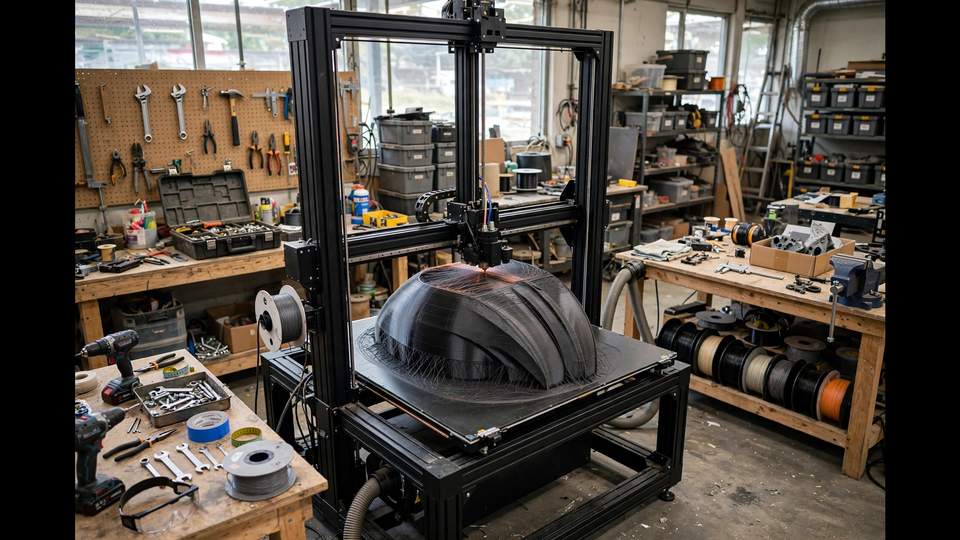
The Creality Ender 5 Plus is a strange beast in 2026: a printer with a massive 350 × 350 × 400mm build volume, a rock-solid Cartesian frame, and electronics that felt dated the day it launched. It’s the best value large-format platform you can buy — if you budget for upgrades. Get the right Ender 5 Plus upgrades and it becomes a reliable workhorse; skip them and you’ll fight noise, levelling, and material limits forever.
This guide ranks every worthwhile upgrade by impact, with honest costs and clear “buy or skip” verdicts. Total essential budget: roughly $150–300 on top of the printer.
Ender 5 Plus Upgrades: Why This Printer Still Deserves Them in 2026
Newer printers offer more features out of the box — there’s no denying it. But the Ender 5 Plus has three things money can’t easily buy: enormous build volume at a budget price, a rigid frame architecture that responds beautifully to tuning, and one of the largest community knowledge bases in 3D printing. Every problem you’ll encounter has been solved by someone and documented.
Think of it as buying a platform, not a finished product. The stock machine is the starting point; the upgrades below are what turn it into the printer it should have been. If that philosophy appeals to you — and you’re willing to invest 5–10 hours in setup and tuning — read on. If you want plug-and-play perfection out of the box, buy a Bambu instead and skip this guide entirely; no judgement, just different priorities.
Ender 5 Plus Upgrades: Silent Mainboard (Impact: Huge)
The stock Ender 5 Plus mainboard uses non-silent stepper drivers, and it shows — the printer is genuinely loud, with the characteristic stepper whine that drives housemates mad. This is the single highest-impact upgrade you can make.
Options: Creality’s official Ender 5 Plus silent board (drop-in replacement, same mounting and wiring) is the easy path. For more capability — features like linear advance and more headroom — the BigTreeTech SKR series with TMC2209 drivers is the enthusiast choice, though installation needs more care and some firmware configuration.
Cost: roughly $40–$70 for the Creality silent board; $50–$90 for a BTT SKR setup with drivers.
Verdict: buy first. If your printer lives anywhere near living spaces, do this before anything else. The difference is night and day — overnight prints become possible without negotiations with the household.
These Ender 5 Plus upgrades are ranked by real impact, not hype.
Upgrade 2: Sprite Direct-Drive Extruder (Impact: Huge)
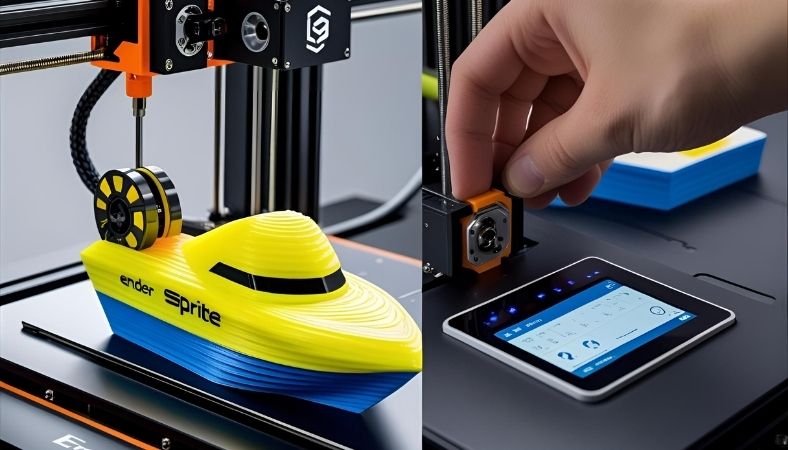
The stock Bowden setup works for PLA and PETG but struggles with flexible filaments and limits retraction performance. Creality’s Sprite extruder — a compact direct-drive unit with an all-metal hotend reaching 300°C — transforms the machine’s material capabilities.
With the Sprite Pro (full kit), you get: direct drive for TPU and flexibles, all-metal hotend for high-temp materials (ABS, ASA, nylon, polycarbonate), and significantly better extrusion control across the board. The Sprite extruder upgrade guide at Creality Experts details the kit variants and confirms Ender 5 Plus compatibility for both the extruder-only and full Pro kits.
Cost: roughly $100–$150 for the full Sprite Pro kit.
Verdict: buy if you want TPU, ABS, or nylon. If you’ll only ever print PLA and PETG, it’s a nice-to-have. For everyone else, it’s transformative — and our TPU guide assumes exactly this upgrade.
Upgrade 3: PEI Build Plate (Impact: High)
The stock tempered glass bed works, but it’s heavy (slowing the Y-axis), requires clips, and needs careful adhesion management. A flexible PEI-coated spring steel plate is lighter, pops prints off with a flex, and offers superb adhesion for most materials when properly maintained.
Cost: roughly $30–$50 for a 350mm PEI plate.
Verdict: buy. Cheap, immediately noticeable, and it makes the printer faster (less bed mass) as a bonus. Keep the glass as a backup.
Budget around $150–$300 for the essential Ender 5 Plus upgrades — far cheaper than buying a new large-format machine.
Upgrade 4: Silicone Bed Spacers (Impact: Medium-High)
The stock bed springs compress and shift with heat cycling, meaning you’re re-levelling constantly. Solid silicone spacers replace the springs with stable, heat-resistant mounts that hold their position. Levelling becomes a rare event rather than a ritual.
Cost: roughly $10–$15.
Verdict: buy. Absurd value for money. Do this the same day as the PEI plate.
Upgrade 5: CR Touch / BLTouch Tuning (Impact: Medium)
The Ender 5 Plus ships with BL Touch semi-automatic levelling — decent, but the probe and its mounting benefit from attention. Ensure the probe is mounted solidly (wobble = bad meshes), update to current firmware, and run a proper bed mesh. Some owners upgrade to the newer CR Touch for better repeatability.
Cost: $0 (tuning) to ~$40 (CR Touch).
Verdict: tune what you have first. Most levelling complaints are mounting or firmware issues, not hardware limits. Only replace the probe if yours is genuinely faulty.
Upgrade 6: Better Part Cooling (Impact: Medium)
The stock part-cooling fan and duct are adequate for slow printing but struggle at higher speeds or with overhangs. Printed fan duct upgrades (like the popular Hero Me or Satsana designs) redirect airflow far more effectively — and they’re free to print yourself.
Cost: $0–$15 (printed parts + maybe a better fan).
Verdict: print a better duct. It’s free, it’s a fun project, and the cooling improvement is real. Do this before buying a new hotend fan.
Upgrade 7: Dual-Gear Extruder (Budget Alternative)
If the full Sprite kit is beyond budget, a simple dual-gear extruder replacement (all-metal, ~$15–$25) improves grip and consistency on the stock Bowden setup. It’s not direct drive and won’t unlock TPU, but it fixes the cracked-plastic-extruder-arm issue that plagues stock Creality machines and improves reliability across the board.
Verdict: buy as a stopgap if the Sprite is a future purchase. Skip if you’re going straight to direct drive.
Upgrade 8: Enclosure (Impact: Situational)
The Ender 5 Plus is an open-frame printer. For ABS, ASA, and nylon, an enclosure is close to mandatory — these materials warp without a warm, stable chamber. Options range from IKEA Lack table builds to commercial tent enclosures sized for the Plus’s large footprint.
Cost: $50–$150 depending on approach.
Verdict: buy only if printing high-temp materials. For PLA and PETG, skip it — an enclosure can actually cause heat creep issues with PLA.
Upgrade 9: Klipper Firmware (Impact: High, Effort: High)
The advanced move: replacing Marlin with Klipper (running on a Raspberry Pi or similar) unlocks input shaping, pressure advance, and dramatically better print quality at speed. The Ender 5 Plus’s rigid frame responds beautifully to input shaping — ringing that Marlin can’t fix disappears.
Cost: ~$40–$60 for a Pi (or use an old one).
Verdict: for tinkerers. The learning curve is real, but the print quality improvement at higher speeds is the biggest single performance gain on this list. Not for beginners — get the mechanical upgrades sorted first.
What to Skip
Not every popular mod is worth it:
- Dual Z upgrade: the Plus already has dual Z. Don’t buy what you own.
- Expensive all-metal hotend alone: if you’re buying the Sprite kit, it’s included. Don’t buy twice.
- LED strips and cosmetic mods: fun, but they don’t improve prints. Do them last, if ever.
- Automatic everything: auto-filament sensors and similar gadgets add failure points. The Plus benefits from simplicity.
The Sensible Upgrade Order
If you’re doing this in stages (and most people are), here’s the order that maximises happiness per dollar:
- Day one: silent board + silicone spacers + PEI plate (~$80–$130) — transforms daily usability
- Month one: printed cooling duct + extruder check (free–$25) — reliability basics
- When ready: Sprite Pro extruder (~$100–$150) — unlocks materials
- If needed: enclosure for ABS/ASA (~$50–$150)
- For enthusiasts: Klipper (~$50) — maximum performance
Total for the full transformation: roughly $280–$480 including the printer’s street price of ~$400–500. That’s still well under a comparable large-format printer with these capabilities — which is exactly why the Plus remains relevant in 2026, and why its community keeps growing.
Keep it all running sweetly with our maintenance schedule — upgraded printers need the same discipline, just with better results.
Ender 5 Plus vs Modern Alternatives in 2026
Honest comparison time. How does a fully upgraded Ender 5 Plus stack up against buying new?
Vs Elegoo Neptune 4 Max (~USD $400–500): similar build volume (420mm vs 350mm), modern features out of the box, faster stock speeds. The Neptune wins on convenience; the upgraded Plus wins on rigidity and community depth. If your Plus is already owned, upgrading beats replacing. If buying fresh, the Neptune deserves a serious look — see our large format guide for the full comparison.
Vs Bambu Lab P1S (~USD $700–900): no contest on convenience — the P1S wins effortlessly. But it’s 256mm cubed vs 350×350×400mm, and costs twice an upgraded Plus all-in. Different tools for different makers.
Vs Sovol SV08 MAX (~USD $1,300+): the SV08 MAX is the superior machine in every way except price. If budget allows and you want the ultimate, it’s the answer. The Plus is the value answer.
The Plus’s niche is clear: maximum volume for minimum money, for makers who enjoy the journey. That niche hasn’t closed — it’s just narrower than it was.
Where to Buy Upgrade Parts in Australia
Sourcing matters — a $30 part with $25 shipping and three weeks’ wait kills momentum:
- Creality official AU store for Sprite kits and silent boards — warranty-friendly and local stock.
- 3D Printer Superstore (VIC) and similar AU resellers for BTT boards, PEI plates, and general parts with fast domestic shipping.
- Amazon AU for convenience on standard parts — check it’s actually AU stock, not marketplace dropshipped.
- AliExpress for the patient: cheapest prices, 2–4 week shipping, no meaningful warranty. Fine for silicone spacers; risky for electronics.
Buy the silent board and Sprite kit from reputable sources — counterfeit boards exist and a fake in your printer’s electronics is a fire risk, not a bargain. Saving $15 isn’t worth it on mains-powered components.
Long-Term Reliability: What Owners Report
Across years of community reports, a pattern emerges for upgraded Pluses: the first month is setup and tuning, months 2–6 are golden (the printer just works), and then components start their normal wear cycles — nozzles, PTFE tubes, belts. Owners who follow a maintenance schedule report multi-year reliable service.
The frame itself is essentially immortal — it’s aluminium extrusion and steel. Everything that wears is replaceable and cheap. That’s the deep value proposition: you’re maintaining a platform, not nursing a disposable appliance. Five years from now, your upgraded Plus will still be printing while sealed-unit competitors are e-waste.
Keep a spare nozzle, a spare PTFE tube, and a spare thermistor on hand. These $20 of parts cover 90% of mid-print emergencies, and having them means a failure is a 20-minute fix instead of a week waiting for shipping — the difference between a hobby and a headache.
Frequently Asked Questions
Is the Ender 5 Plus still worth it in 2026?
Yes, with conditions: budget an extra $150–$300 for essential upgrades (silent board, PEI bed, spacers) and expect 5–10 hours of setup. If you want plug-and-play, buy something newer. If you want maximum build volume per dollar and enjoy tinkering, it’s unmatched.
What is the best extruder upgrade for the Ender 5 Plus?
The Creality Sprite Pro direct-drive kit — it adds direct drive for TPU, an all-metal 300°C hotend for high-temp materials, and better extrusion control. Both the extruder-only and full Pro kits are confirmed compatible with the Ender 5 Plus.
How do I make my Ender 5 Plus quieter?
Replace the stock mainboard with a silent board using TMC2208/TMC2209 drivers (Creality’s official silent board is drop-in). This is the single biggest noise reduction — the stock drivers are the main culprit.
Can the Ender 5 Plus print TPU?
Not well stock — the Bowden setup jams with flexible filament. Upgrade to the Sprite direct-drive extruder and TPU prints reliably. See our TPU guide for the settings.
What size is the Ender 5 Plus build volume?
350 × 350 × 400mm — one of the largest in its price class, and the main reason the printer remains popular. That’s roughly 49 litres of build space.