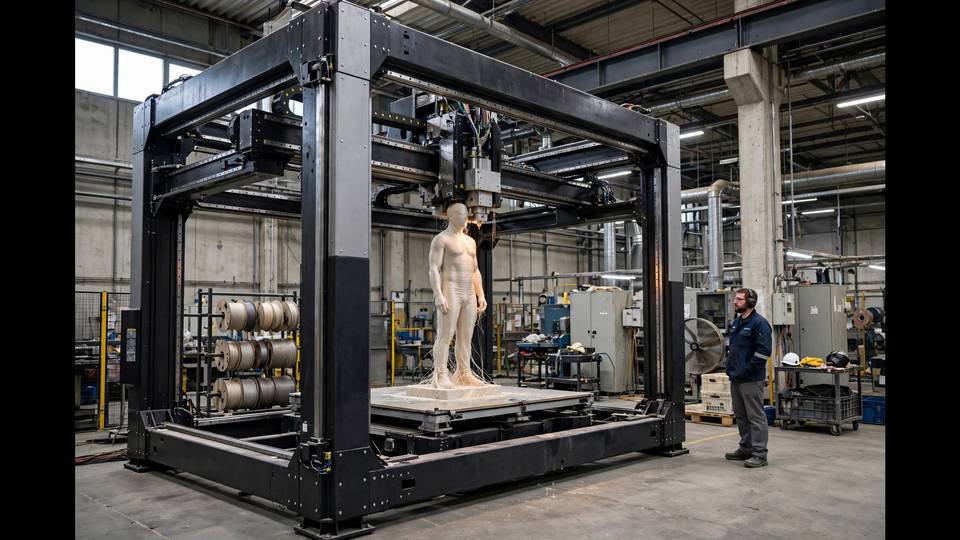
Here are the best large format 3D printers Australia has to offer in 2026 — compared on build volume, speed and real AU prices.
There’s a special frustration only 3D printer owners know: designing the perfect part, slicing it with excitement, and then realising it doesn’t fit on the build plate. Again. If you’re tired of splitting models, gluing seams, and compromising on size, it’s time to look at large format 3D printers — machines with build volumes that swallow helmets, furniture parts, and architectural models whole.
This guide compares the best large format options actually available to Australian makers in 2026, with real build volumes, speeds, prices, and the practical realities (like where you’ll put a 700mm-wide machine) that reviews often skip.
When comparing large format 3D printers Australia-wide, build volume is only half the story — check local parts availability and support too.
What Counts as “Large Format”?
The standard desktop printer offers around 220 × 220 × 250mm — roughly 12 litres. Large format generally means 300mm+ on at least two axes, with the serious machines reaching 400–500mm per side and 60–130+ litres of total volume. To put that in perspective, a 420 × 420 × 500mm printer holds about 88 litres — over seven times a standard bed.
Why go big? The use cases are specific but compelling:
- Cosplay armour and props — helmets, chest plates, and swords in single pieces instead of glued fragments
- Furniture and home decor — stools, lampshades, large vases, wall art
- Functional prototypes — enclosures, ducting, automotive parts at real scale
- Batch production — filling a huge bed with dozens of small parts in one run
If none of those apply to you, a large printer is expensive overkill — you’re paying for capacity you’ll never use, and big printers demand big spaces. But if you’re nodding along, read on.
Large Format 3D Printers Australia: The Contenders Head-to-Head
Elegoo Neptune 4 Max — Best Budget Pick (~USD $400–500)
The workhorse of the large format world. 420 × 420 × 480mm build volume, 500mm/s max speed, 121-point auto bed levelling, 300°C hotend, and Klipper-based firmware for smooth high-speed printing. It handles PLA, PETG, TPU, ABS, ASA, and nylon.
The cosplay community has embraced this machine for good reason: it just works. Assembly is straightforward, the default profiles are solid, and replacement parts are cheap and available. Reviewers consistently praise its reliability at a price that undercuts most competitors by hundreds.
Weaknesses: the bed-slinger design means the massive Y-axis bed throws considerable weight around at speed — keep accelerations sane. Some owners report the POM wheels wearing with heavy use; a linear rail upgrade is a popular (if involved) fix. Fit and finish is functional rather than premium.
Anycubic Kobra 2 Max — Best All-Rounder (~USD $639)
Anycubic’s flagship large format: 420 × 420 × 500mm (about 88 litres), 500mm/s printing, vibration compensation, and a refined direct-drive extruder. Reviewers who’ve run both it and the Neptune 4 Max often give the Kobra 2 Max the nod for easier levelling and setup, though both need profile tuning for best results.
Where it shines: the out-of-box experience is more polished than the Neptune, the touchscreen interface is modern, and Anycubic’s slicer profiles are well maintained. For makers who want large format without a project, it’s the smoother path.
Consider also the newer Kobra 3 Max (~USD $600–720), which adds multicolour capability via Anycubic’s ACE Pro system and a Bambu-style interface. If multi-colour large prints appeal to you, it’s arguably the better buy — though the ACE Pro system is newer and less proven than Bambu’s AMS.
Creality K1 Max — Best Enclosed Option (~USD $599–899)
A different philosophy: 300 × 300 × 300mm in a fully enclosed CoreXY chassis, hitting 600mm/s with AI-assisted calibration (lidar + camera). Smaller than the bed-slingers above, but the enclosure means proper ABS, ASA, and nylon printing — materials the open machines struggle with.
Choose the K1 Max if your large prints need engineering materials, or if fumes and temperature stability matter in your workspace. Choose a bed-slinger if raw volume per dollar is the priority. For cosplay in PLA and PETG, the bigger open machines win; for functional parts in ASA, the K1 Max wins.
Sovol SV08 MAX — The Enthusiast’s Choice (~USD $1,299–1,499)
For makers who want it all: 500mm cubed build volume, CoreXY motion, and full Klipper with unlimited customisation. Nothing else in the consumer space touches this combination of size and speed. But it’s a tinkerer’s machine — it rewards knowledge and patience, and it demands serious workshop space.
This is the “buy once, cry once” option for serious makers. If the price makes you wince, the machines above deliver 80% of the capability for half the money.
What About the Giants? (OrangeStorm Giga and Beyond)
Elegoo’s OrangeStorm Giga offers a staggering 800 × 800 × 1000mm — over 600 litres — for around USD $1,850–2,600. These are genuinely industrial machines: they need dedicated circuits, reinforced flooring considerations, and a forklift mentality. For 99% of makers, they’re fascinating but irrelevant. Mentioned here so you know the ceiling exists, not because you should buy one.
Buying Large Format 3D Printers Australia: Practical Realities
Here’s what the international reviews don’t tell you:
Shipping is a project in itself. These printers weigh 20–30kg in boxes the size of a bar fridge. Check whether the seller ships to Australia affordably — some US stores charge eye-watering freight for machines this size. AU-based resellers or Amazon AU often work out cheaper once shipping is factored in.
Power is fine. All the machines listed run on 100–240V, so Australian 230V mains is no problem. But a large printer with a big heated bed draws serious current during heat-up — don’t share the circuit with other heavy loads.
Space is the real cost. A Neptune 4 Max needs roughly 700 × 700mm of bench plus clearance for the bed to travel. Measure your space before ordering. These machines also benefit from an enclosure or at least a draught-free room — a cold breeze across a 420mm bed causes warping that a 220mm bed would shrug off.
Filament consumption is brutal. A large print can eat half a kilo of filament without blinking. Budget accordingly — and buy in bulk. Total cost of ownership for active large format printing runs USD $100–300/month in materials and maintenance according to long-term reviewers. The detailed breakdown at 3DTechValley’s large format guide is worth reading before committing.
Start with a smaller printer first? If you’re new to 3D printing entirely, learn on a standard-size machine. Large printers amplify every beginner mistake — a failed 20-hour print wastes far more than a failed 2-hour one. Our K1 vs P1P comparison covers excellent standard-size options.
The cheapest large format 3D printers Australia sellers list aren’t always the best value once shipping and support are counted.
Large Format Tips That Save Heartbreak
- Bed adhesion is everything. On a 420mm bed, a corner lifting 1mm ruins the print. Clean meticulously, consider adhesive aids, and don’t skimp on the brim for tall prints.
- Dry your filament. Large prints run for many hours, giving filament plenty of time to absorb moisture mid-print. Print from a dry box — our drying guide explains the setup.
- Slow down the first layer. 20–30mm/s for layer one on a big bed. Patience here prevents 90% of large-print failures.
- Watch the power. A power blip 15 hours into a print is devastating. A UPS (uninterruptible power supply) is cheap insurance for long prints.
- Maintain aggressively. Big machines have more mass, more wear, and more to go wrong. Our maintenance schedule scaled to large format keeps them reliable.
Which Should You Buy?
On a budget, printing cosplay and props: Elegoo Neptune 4 Max. Maximum volume per dollar, proven by the community, cheap to run and repair.
Want polish with your volume: Anycubic Kobra 2 Max (or Kobra 3 Max for multicolour). Smoother experience, modern features, still excellent value.
Need engineering materials: Creality K1 Max. The enclosure is non-negotiable for ABS/ASA at scale.
Want the ultimate and have the space: Sovol SV08 MAX. Nothing else compares — if you’re ready for it.
For cosplay specifically — the most common reason makers go large — pair your printer choice with our cosplay printing guide for material and finishing advice that makes big prints look professional.
Slicing for Large Prints: Settings That Matter
Big prints need different slicer thinking. The settings that work on a 220mm bed don’t always scale:
- Reduce infill, increase walls. A large print at 15% infill with 4–5 walls is stronger and faster than 40% infill with 2 walls — and uses less filament. Walls carry the strength; infill just supports them.
- Use lightning or gyroid infill for decorative pieces to save material and time. Save grid infill for parts that need crushing strength.
- Orient for strength. Layer lines are the weak axis. Orient functional parts so stress runs across layers, not along them. A bracket printed flat is dramatically stronger than the same bracket printed upright.
- Split smart when you must. Even on a large printer, some models exceed the bed. Split along natural seams, add alignment pins or dovetail joints in the design, and glue with proper adhesive (not superglue on large PLA parts — it goes brittle).
- Enable draft shields or brims for tall prints. Tall narrow prints on a big bed are draught magnets. A draft shield (a thin wall around the print) costs little filament and prevents the warping that ruins overnight prints.
Secondhand Large Format: Worth the Risk?
Large printers depreciate fast, which means the secondhand market is full of tempting deals — a used Neptune 4 Max for half retail is common. But big printers hide big problems:
- Always see it print. A 30-minute test print reveals bed issues, extruder problems, and frame damage that photos hide. Never buy untested.
- Check the bed carefully. Large beds warp with heat cycling. Run a bed mesh visualisation — if the variance is extreme, walk away.
- Ask why they’re selling. “Upgrading to Bambu” is fine. “Couldn’t get it working” means you’re buying someone else’s problem.
- Budget for consumables. Assume you’ll replace the nozzle, check the PTFE tube, and re-tension everything. Price that into your offer.
A well-maintained used large printer is excellent value — these are simple machines and most issues are fixable. But a neglected one is a money pit with a 30kg shipping problem. Inspect like your wallet depends on it, because it does.
The Upgrade Path: Growing Into Large Format
If you’re not ready to commit, there’s a sensible progression. Start with a capable standard printer and master the fundamentals — bed adhesion, slicer tuning, material behaviour. Add a filament dryer and build your maintenance habits. Then, when you have three specific projects that won’t fit your current bed, buy the large printer with a clear purpose.
The makers who regret large format purchases almost always bought on aspiration (“imagine what I could print!”) rather than need (“I have five helmet commissions queued”). Let demand pull you into the purchase, and the machine pays for itself. Buy on speculation, and it becomes an expensive shelf.
That said — when the need is real, nothing else substitutes. The first time you pull a full-size helmet off the bed in one piece, you’ll wonder how you ever lived with 220mm.
Frequently Asked Questions
What is the cheapest large format 3D printer worth buying?
The Elegoo Neptune 4 Max at around USD $400–500 (often less on sale) is the value king — 420 × 420 × 480mm, 500mm/s, and proven reliability. It’s the default recommendation for budget large format.
How much space does a large format 3D printer need?
A 420mm-class machine needs roughly 700 × 700mm of bench space plus clearance for bed travel and ventilation. Measure before buying — these are bar-fridge-sized boxes.
Can I print a full cosplay helmet in one piece?
Yes, on a 420mm-class printer. Most adult helmets fit comfortably in 420 × 420 × 480mm. Smaller 300mm enclosed printers can handle helmets split into 2–3 pieces.
How much does it cost to run a large format printer?
Expect USD $100–300/month in filament and maintenance if printing actively. Large prints consume 300–500g+ of filament each, so bulk filament buying is essential.
Should a beginner start with a large format printer?
No — learn on a standard-size machine first. Large printers amplify every mistake, and a failed 20-hour print is a painful lesson. Upgrade to large format once your fundamentals are solid.