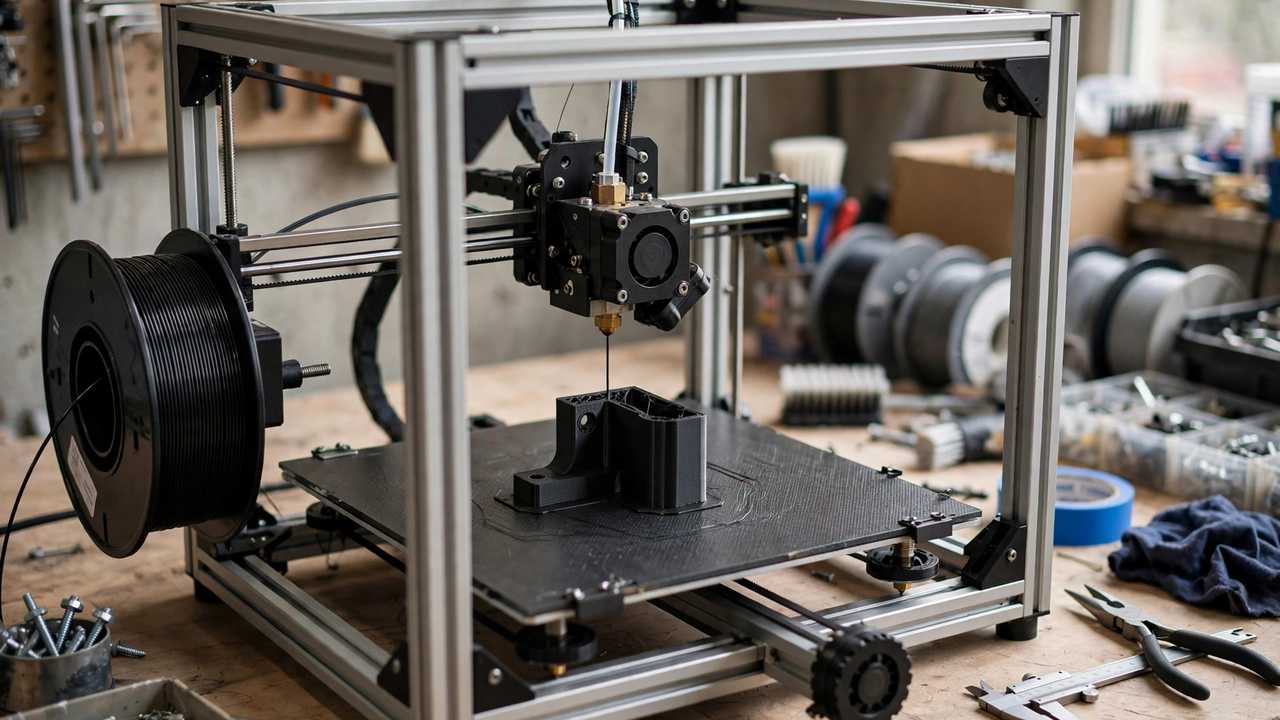
Printing ABS without enclosure is tricky but possible for small parts — here’s how to pull it off.
If you’ve ever tried printing ABS on an open-frame printer, you know the heartbreak: the first layers go down beautifully, then a corner lifts, and by hour three your part looks like a potato chip. So is ABS printing without enclosure actually possible? The honest answer is more nuanced than a flat yes or no — small parts in a warm, still room can absolutely succeed, while big flat parts will fight you every time. This guide explains why ABS warps, what’s genuinely achievable without an enclosure, and the practical tricks that stack the odds in your favour.
ABS Without Enclosure: Why It’s So Difficult
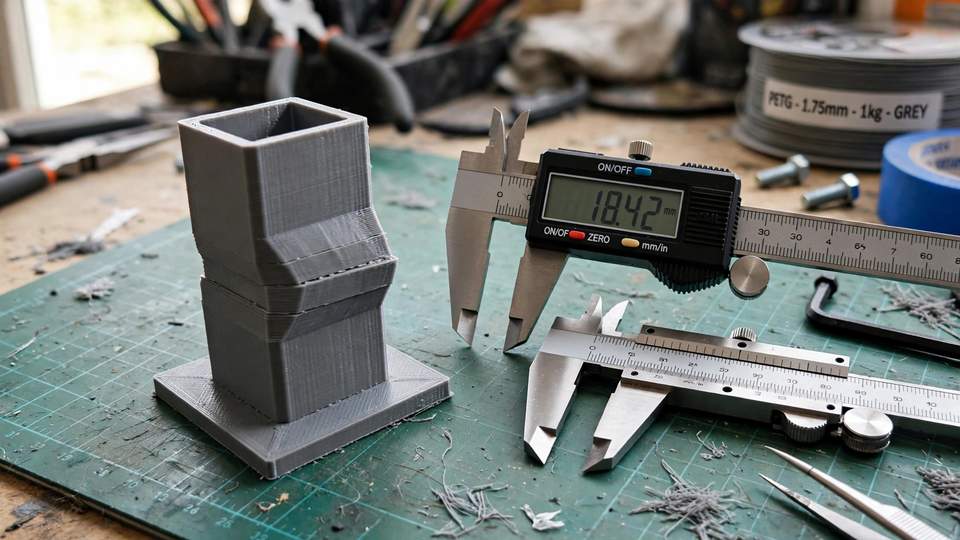
To understand the problem, you need to know what ABS does as it cools. All plastics shrink when they cool, but ABS shrinks a lot — roughly 1–2%, significantly more than PLA. When the nozzle lays down a fresh layer at 220–250°C, that layer starts contracting almost immediately. The layers below it have already cooled and stiffened, so the contracting upper layers pull inward, and the stress concentrates at the corners. Eventually the stress beats the bed adhesion, and a corner lifts. That lift lets cool air underneath, which accelerates the cooling, which causes more shrinkage — a vicious cycle.
An enclosure breaks this cycle by keeping the air around the print warm — typically 40–50°C from the heated bed alone in a passive box. Warm air means the upper layers cool slowly, the temperature difference between the fresh plastic and the already-printed part stays small, and the internal stresses stay manageable. Without an enclosure, every layer is born into room-temperature air, and on a tall print the temperature gap between the hot bed and the cool top of the part is enormous. That’s why tall, large, or flat ABS parts are the worst offenders.
The second enemy is drafts. A ceiling fan, an air conditioner vent, an open window, even someone walking past the printer can create a puff of cooler air that chills one side of the part faster than the other. Uneven cooling means uneven shrinkage, and uneven shrinkage means warping. This is why ABS printing without enclosure fails most often in exactly the rooms we print in — lived-in spaces with airflow.
ABS Without Enclosure: Small Parts Yes, Large Parts No
Here’s the realistic verdict. Small ABS parts — brackets, clips, knobs, parts under about 5–8 cm with a decent footprint — print fine on an open-frame machine in a warm, draft-free room with good bed adhesion. The thermal mass is small, the shrinkage forces are modest, and the print finishes before stresses accumulate. Plenty of makers run small ABS jobs on open printers every day without drama.
Medium parts are a coin toss. This is where the tricks in this guide earn their keep — a draft shield, a brim, a warm room, and careful settings can tip a borderline print into success. Expect some trial and error.
Large, flat, or tall parts are a different story. A big flat base or a tall thin wall in ABS on an open printer will almost certainly warp, delaminate, or crack, no matter how many tricks you stack. The physics simply isn’t on your side. For those parts, you need an enclosure of some kind — even a DIY cardboard box counts — or a different material. Knowing where that line sits saves you from burning a weekend and a spool of filament on a doomed print.
The key to ABS without enclosure success is eliminating every draft in the room.
Trick 1: Kill Every Draft in the Room
This is the cheapest fix and the most skipped. Before touching any slicer setting, look at where your printer lives. Move it away from air conditioner vents, windows, doors, and ceiling fans. Close the windows on the printing side of the room. If the printer sits under a ceiling fan, turn the fan off for the duration of the print — it’s remarkable how many “impossible” ABS prints succeed once the fan stops.
Room temperature matters too. ABS behaves noticeably better in a warm room (25°C and up) than in a cold garage in winter. If your printing space is chilly, consider moving the printer to a warmer room for ABS jobs, or at least pre-warming the room. Some makers drape a towel over the top of the printer’s frame — not touching the hotend — to trap a little rising heat. It’s crude, but it genuinely raises the local air temperature around the part.
Trick 2: Use a Draft Shield in Your Slicer
A draft shield is one of the cleverest tools for ABS printing without enclosure, and it’s built into the slicers you already use. It prints a thin, single-perimeter wall around your part, a few millimetres away from it, rising to the same height. That wall blocks moving air and traps a pocket of warm air around the part — a miniature enclosure printed on the fly.
In OrcaSlicer you’ll find it under the skirt settings; PrusaSlicer calls it Draft Shield under Print Settings; Cura has it as a draft shield option too. It costs a little extra filament and print time, but for medium-sized ABS parts it’s often the difference between success and a curled mess. Combine it with a skirt or brim and you get both draft protection and adhesion in one setup. If you’re running an Anycubic machine and haven’t tuned your slicer profiles lately, it’s worth checking your Cura setup for Anycubic printers before starting an ABS job — correct temperatures and first-layer settings are the foundation everything else builds on.
A simple cardboard draft shield is the cheapest way to improve ABS without enclosure results.
Trick 3: Brims, Rafts, and Serious Bed Prep
Since warping is fundamentally a fight between shrinkage stress and bed adhesion, giving adhesion every advantage is essential. A brim — a flat ring of plastic extending outward from the part’s base — adds bonded surface area exactly where lift starts, at the corners and edges. For ABS, start with a 5–8 mm brim and go wider for large flat bases. It’s cheap insurance and peels off easily.
For the worst cases, a raft prints a full sacrificial platform under the part. It uses more material and leaves a rougher bottom surface, but it grips the bed across the whole footprint. Mouse ears — small discs added at sharp corners — are a middle ground that holds down the highest-stress points without a full brim.
Bed prep matters as much as the geometry. Wipe the build plate with isopropyl alcohol before every ABS print, because skin oils and dust quietly kill adhesion. Run the bed at 90–110°C, and let it soak at temperature for a good 10 minutes before starting — build plates heat unevenly, and starting on a cold spot is asking for a corner to lift. A thin smear of glue stick on the plate gives ABS something extra to grab. And keep the part cooling fan off or very low for ABS; blasting cool air at fresh layers is the fastest way to cause delamination.
Trick 4: The DIY Cardboard Enclosure
If the tricks above aren’t enough, you don’t need to buy anything fancy. A large cardboard box placed over the printer — with the flaps arranged so cables and the filament path still move freely — traps enough heat to transform ABS results. Cut a small window or leave a gap so you can peek at progress, and make sure nothing flammable touches the hotend or bed wiring.
A step up from cardboard is a zippered printer tent, which typically costs less than two spools of filament from AU retailers and folds flat when not in use. The goal isn’t a precision heated chamber — it’s just still, warm-ish air. Going from 22°C room air with drafts to 32–35°C still air inside a box is a bigger improvement than most people expect, and it’s often enough to push medium ABS parts into the success column.
One safety note: never leave a boxed-in printer completely unattended for long stretches, and keep a smoke detector in the room. An enclosed printer runs hotter, and while modern machines have thermal runaway protection, a DIY enclosure deserves a bit of extra respect.
When to Give Up on ABS and Switch Materials
Sometimes the smartest move is to stop fighting the material. If your part needs to survive outdoors, ASA is the direct upgrade — nearly identical chemistry to ABS with built-in UV resistance, and it prints with the same settings and the same enclosure requirements. If you can print ABS, you can print ASA.
But if the whole reason you’re asking about ABS printing without enclosure is that you don’t have one, consider PETG instead. PETG handles heat well (glass transition around 80–85°C), resists water and chemicals, and prints happily on an open-frame printer without any of the warping drama. For brackets, mounts, garden parts, and most functional prints, PETG does the job with a fraction of the hassle. It’s also worth noting that many entry-level open-frame machines, like the popular models covered in our Anycubic Kobra 2 Pro setup guide, are genuinely happier printing PETG than ABS — the machine isn’t the problem, the material choice is.
The rule of thumb: choose ABS when you specifically need its properties — its rigidity, its temperature resistance up to around 100°C, or its ability to be smoothed with acetone vapour. For everything else, PETG on an open printer will get you a good part tonight instead of a warped one tomorrow.
Safety First: ABS Fumes and Ventilation
Here’s the part that gets glossed over in most warping guides. ABS emits styrene and other volatile organic compounds when printed, and it has a strong, unmistakable smell. Printing it in a sealed, unventilated box in your bedroom is trading one problem for another. Good practice is straightforward: print in a room you can ventilate, avoid sitting next to the printer for hours, and let ventilation or filtration run for 20–30 minutes after the print finishes, since warm plastic keeps off-gassing as it cools.
An enclosure helps contain fumes but doesn’t remove them — only ventilation to outside or proper filtration does that. If you go the DIY enclosure route, consider adding a small fan venting through a window, or a filter unit with activated carbon. University environment-and-safety guidelines for 3D printing, such as these 3D printer safety procedures, make the same point: ventilation requirements should be considered before the printer goes into a room, not after. Australian makers should also keep general workplace ventilation principles in mind — if a room smells strongly of hot plastic, it needs more airflow, whether it’s a home office or a workshop.
Keep the SDS (safety data sheet) for your filament somewhere you can find it. Reputable filament brands publish them, and they’re the authoritative source on what’s actually in the spool you’re melting.
Frequently Asked Questions
Can you print ABS without an enclosure?
Yes, for small parts. Parts under about 5–8 cm print fine on an open-frame printer in a warm, draft-free room with good bed adhesion. Medium parts are possible with tricks like draft shields, brims, and a warm room. Large, flat, or tall ABS parts will almost certainly warp without some form of enclosure, even a DIY cardboard one.
Why does ABS warp so much more than PLA?
ABS shrinks roughly 1–2% as it cools, far more than PLA. The contracting upper layers pull against the cooled lower layers, and the stress concentrates at the corners until it beats the bed adhesion. PLA’s low shrinkage is why it prints so easily by comparison.
What is a draft shield in a slicer?
A draft shield is a thin wall your slicer prints around the part, a few millimetres away, rising to the part’s full height. It blocks moving air and traps warm air around the print, acting like a miniature enclosure. You’ll find it in OrcaSlicer’s skirt settings, PrusaSlicer’s Print Settings, and Cura’s draft shield option.
What bed temperature should I use for ABS without an enclosure?
Run the bed at 90–110°C and let it soak at temperature for about 10 minutes before starting, since build plates heat unevenly. Use a 220–250°C nozzle, keep the part cooling fan off or minimal, and add a 5–8 mm brim for adhesion.
Is it safe to print ABS in a bedroom?
It’s not ideal. ABS emits styrene and other VOCs with a strong odour. Print in a ventilated room, don’t sit next to the printer for long periods, and run ventilation for 20–30 minutes after the print finishes. An enclosure contains fumes but doesn’t remove them — ventilation or filtration does.
Should I just use PETG instead of ABS?
Often, yes. If you don’t have an enclosure, PETG prints far more easily on an open-frame printer and handles heat, water, and chemicals well. Choose ABS when you specifically need its rigidity, higher temperature resistance, or acetone smoothing — otherwise PETG gets you a good part with much less hassle.