Here’s the good news: you no longer need to spend $500+ to get the best 3D printer for beginners Australia has to offer. The sub-$300 bracket in 2026 is packed with machines that would have cost twice as much two years ago — auto bed levelling, direct-drive extruders, and print speeds that make the old budget kings look prehistoric. The bad news? The cheap end of the market is also where the duds hide, and a bad first printer is the number one reason people quit the hobby within a month.
This guide cuts through the noise. Every printer below is a contender for best 3D printer for beginners Australia-wide, available right now, priced under $300 AUD, and chosen specifically for beginners — meaning minimal assembly, forgiving setup, and a community big enough that every problem you’ll hit has already been solved on a forum somewhere. Prices are checked against Australian retailers, not converted from US listings that don’t reflect what you’ll actually pay after shipping and GST.
What Makes a Good Beginner Printer in 2026?
Before the picks, let’s calibrate. A beginner printer isn’t just “cheap” — it’s cheap without the failure modes that make newcomers quit. Here’s what actually matters:
- Auto bed levelling. This is non-negotiable in 2026. Manual levelling with a piece of paper was the old rite of passage, and it was also the reason half of all beginners gave up in week one. Any printer without auto-levelling should be disqualified immediately, regardless of price.
- Direct-drive extruder. Bowden tubes work, but direct drive handles flexible filaments and reduces the retraction tuning you’ll need to do. Most 2026 budget printers have made the switch.
- Community size. When (not if) something goes wrong, you want thousands of people who’ve fixed the same issue. This is why Creality and Anycubic dominate the budget bracket — the answer to every problem is a search away.
- Parts availability in Australia. A printer is only as good as your ability to replace a worn nozzle or a cracked extruder arm. Check that spares are stocked by Australian sellers before you buy.
- Honest print speed. Manufacturers love quoting maximum speeds. What matters is the recommended speed for quality prints — usually half the headline number.
What doesn’t matter as much as marketing suggests: Wi-Fi (an SD card works fine), a touchscreen (buttons are fine), and multi-colour (a rabbit hole for later, not a beginner feature). If you’re still deciding between your first machines, our complete first-printer guide walks through the decision in more depth.
The Picks: Best 3D Printer for Beginners Australia (Under $300)
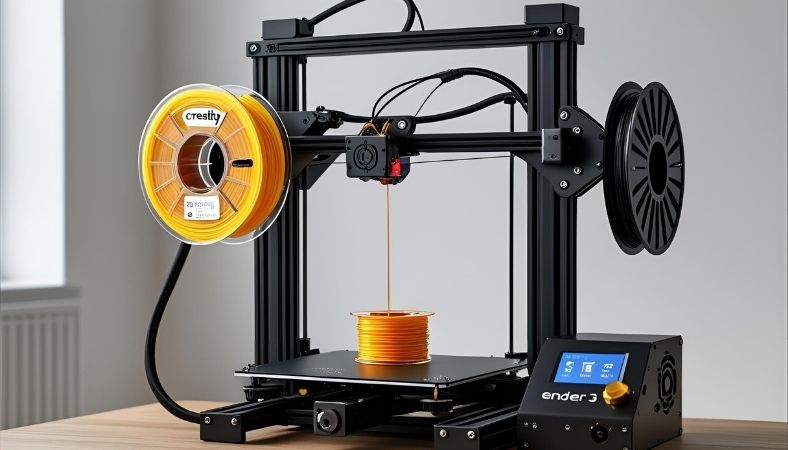
1. Creality Ender 3 V3 SE — The Safe Default (~$259 AUD)
If you buy one printer from this list blind, make it this one. The Ender 3 V3 SE is currently listed at $259 AUD on Creality’s Australian store (down from $329), and it’s the best on-ramp into the hobby at this price point in 2026.
Why it wins: CR-Touch auto bed levelling, a direct-drive Sprite extruder, and print speeds up to 250mm/s. The two things that historically made beginners quit — manual levelling and extruder clogs — are both engineered out. Assembly takes about 20 minutes with the quick-start guide, and the Ender ecosystem means every upgrade, spare part, and tutorial already exists.
The honest trade-offs: the 220×220×250mm build volume is on the smaller side, stock part cooling is mediocre on steep PLA overhangs, and there’s no enclosure — so ABS and ASA are off the table without a DIY enclosure. None of these matter for your first six months.
Our Ender 3 V3 SE setup guide will get you from box to first print without the usual headaches.
2. Anycubic Kobra 2 Neo — The Easiest First Layer (~$199–249 AUD)
The Kobra 2 Neo is the printer I’d hand to someone who is genuinely nervous about setup. Anycubic’s LeviQ 2.0 one-touch levelling is the most hands-off bed calibration in this price bracket, and the textured PEI spring-steel bed grips PLA beautifully — first-layer failures, the classic beginner heartbreak, are noticeably rarer here than on glass beds.
At around $199–249 AUD depending on sales, it’s often the cheapest credible option on this list. You get 250mm/s max speed, a direct-drive extruder, and a 220×220×250mm build volume that matches the Ender. The trade-off versus the Creality is ecosystem: the Ender community is larger, so obscure problems get solved faster. But for the standard beginner journey — PLA prints, learning the slicer, printing toys and household fixes — the Kobra 2 Neo is genuinely excellent.
3. Bambu Lab A1 Mini — The “Just Works” Premium Pick (~$319 AUD)
Yes, it’s technically $19 over budget at $319 AUD (The Good Guys, 3D Printer Superstore, and CDSoft all list it at this price in Australia). I’m including it because the gap between this and everything else under $300 is the gap between “hobby project” and “appliance” — and for some beginners, that gap is worth $19.
The A1 Mini arrives pre-assembled and prints well within 20 minutes of unboxing. Full auto-calibration — bed levelling, vibration compensation, nozzle pressure — happens without you touching anything. It’s quiet enough for a bedroom, the Bambu Handy app lets you start prints from your phone, and the optional AMS Lite adds 4-colour printing later if you want it.
The catches: a smaller 180×180×180mm build volume, a closed-ish ecosystem that tinkerers find limiting, and open-frame noise during fast moves. If you want the printer to be the hobby, buy the Ender. If you want the things it makes, stretch the extra $19.
4. Elegoo Neptune 4 Pro — The Speed Pick (~$260–300 AUD)
If your budget stretches to the top of the bracket, the Neptune 4 Pro buys you genuine speed: 500mm/s-class printing, roughly double the Ender’s rated ceiling, with auto-levelling and a slightly roomier bed. It’s aimed at beginners who suspect they’ll outgrow an entry machine quickly and want throughput without paying mid-range money.
The honest caveats: assembly takes longer than the Ender, and early firmware quirks mean your first week might involve some forum reading. Neither is a dealbreaker, but this is the “tinkerer’s beginner printer” — better for someone who enjoys figuring things out than someone who wants zero friction.
What About Second-Hand Printers?
Australian maker communities — Facebook groups, Gumtree, local hackerspaces — regularly list used Ender 3s and similar machines for $100–150. This can be a great deal or a trap, depending on one question: why is the seller selling?
Good reasons: upgrading to a Bambu, moving overseas, “bought it during lockdown and never used it” (extremely common — these are often barely-used bargains). Bad reasons: “needs a bit of work” (translation: it’s a project, not a printer), undisclosed modifications, or a hotend that’s been run into the ground.
If you go second-hand, budget $30–50 for immediate consumables: a new nozzle, a fresh bed surface, and possibly new PTFE tube. And test-print before you pay if at all possible — a 20-minute Benchy tells you more than any seller description.
The Real Cost: What You’ll Spend Beyond the Printer
The printer price is the entry ticket, not the total cost. Budget for these in your first month:
- Filament: 2–3 spools of PLA to start (~$25–35/kg from Australian sellers — see where to buy filament in Australia). Budget $60–90.
- Essential tools: flush cutters, a deburring tool or craft knife, glue stick or PEI-safe adhesive. Budget $20–30.
- Spares: a pack of nozzles ($10–15) and, eventually, a spare thermistor and heater cartridge ($15–20). These are “when, not if” purchases.
- Electricity: roughly 100–150W while printing — a few dollars a month, not worth worrying about.
Realistic first-month total: printer ($200–320) + filament and tools ($80–120) = $280–440 all-in. Still cheaper than most hobbies, and every spool after the first is pure printing.
Beginner Mistakes That Waste Your First Month
Learn from everyone else’s failures instead of your own:
- Skipping calibration. Every printer needs e-steps, flow, and temperature calibration for your filament. The 30 minutes this takes saves weeks of “why do my prints look bad?” Our calibration guide walks through it step by step.
- Printing too fast, too soon. Start at conservative speeds (50–60mm/s) until your prints are reliable, then push faster. Speed is earned, not given.
- Ignoring the first layer. If the first layer is bad, cancel the print immediately. Watching a doomed print for 6 hours hoping it “gets better” is the classic beginner time-sink.
- Buying exotic filament early. Master PLA first. Then PETG. Then — and only then — think about TPU, ABS, or anything else. Each material is a new learning curve.
- No dry storage. Australia’s humidity kills filament. Even a sealed tub with desiccant beats leaving spools on a shelf. This matters more than most beginners expect.
Where to Buy the Best 3D Printer for Beginners Australia (Without Getting Burned)
Stick to these channels, in rough order of reliability:
- Manufacturer AU stores (Creality AU, Anycubic official) — best prices during sales, proper warranty.
- Australian specialist retailers — Core Electronics, 3D Printer Superstore, Phaser FPV. Slightly higher prices, but local support and fast shipping.
- The Good Guys / major retailers — for Bambu Lab machines especially; easy returns if something’s wrong.
- Amazon AU — fine, but check the seller is Australian for warranty purposes.
Avoid: random eBay sellers with no local presence, grey-market importers with no ABN, and any “deal” that’s 40%+ below the going rate — it’s either a scam, refurbished without disclosure, or missing the AU power supply.
Side-by-Side: How the Picks Compare
For the scanners among you, here’s the shortlist distilled:
- Cheapest credible starter: Anycubic Kobra 2 Neo (~$199–249) — best if budget is the absolute priority and you want the easiest first layer.
- Best all-rounder: Creality Ender 3 V3 SE (~$259) — the biggest community, most upgrade paths, best documented. The default for a reason.
- Fastest: Elegoo Neptune 4 Pro (~$260–300) — if you suspect you’ll want speed sooner rather than later.
- Easiest overall: Bambu Lab A1 Mini (~$319) — worth the $19 stretch if you want printing to feel like using an appliance.
There’s no wrong answer here — all four are legitimate 2026 machines, not the fire hazards and frustration boxes that used to lurk at this price. The “wrong” choice would be a no-name printer with no community, no spare parts, and no auto-levelling. Stick to the shortlist and you’ll be fine.
Setting Up Your First Print (Day One Walkthrough)
Unbox day doesn’t have to be stressful. Here’s the sequence that works:
- Assemble carefully, don’t rush. Follow the manual or a YouTube build video for your exact model. The most common assembly error is a loose gantry — everything should move smoothly with no wobble, but not so tight it binds.
- Check the voltage switch. Australian mains are 230V. Many printers ship set to 115V (US default). Running 115V on 230V mains will destroy the power supply instantly. Check before first power-on.
- Load filament and heat up. PLA at 200°C nozzle, 60°C bed. Let everything reach temperature before doing anything else.
- Run auto-levelling. With bed and nozzle hot. Then print a first-layer test — a large flat square — and check the Z-offset.
- Print a Benchy. The little boat is the universal benchmark. It tests overhangs, bridging, stringing, and dimensional accuracy in one 2-hour print. Compare yours to reference photos online.
- Calibrate. E-steps, flow rate, temperature tower for your specific filament. This is the unglamorous work that separates good prints from great ones.
Expect your first week to involve troubleshooting — that’s normal and educational, not a sign you bought the wrong printer. Every problem you solve now is knowledge you’ll use forever.
Frequently Asked Questions
What is the best 3D printer for a complete beginner in Australia?
If you want the best 3D printer for beginners Australia has right now, the Creality Ender 3 V3 SE (~$259 AUD) is the safest default — auto bed levelling, direct-drive extruder, and the largest support community. If you want the most hands-off experience and can stretch to $319, the Bambu Lab A1 Mini is the “just works” option.
How much should a beginner spend on their first 3D printer?
$200–$320 AUD for the printer itself, plus $80–120 for filament and basic tools in the first month. Spending less than $180 usually means missing auto-levelling, which isn’t worth the savings.
Can I 3D print in a bedroom or apartment?
Yes, with PLA — it’s low-odour and doesn’t need ventilation beyond a normal room. The Bambu A1 Mini and Kobra 2 Neo are quiet enough for shared spaces. Avoid ABS/ASA indoors without an enclosure and ventilation.
Do I need a computer to run a 3D printer?
You need one for slicing models (turning STL files into printer instructions), but any modern laptop works — slicers aren’t demanding. Many printers also accept files via SD card or phone app once sliced.
Is it cheaper to buy a 3D printer or use a printing service?
If you’ll print more than 10–15 objects, owning wins easily. A $259 printer pays for itself against service bureau pricing (typically $20–50 per small print in Australia) within a few months of regular use.