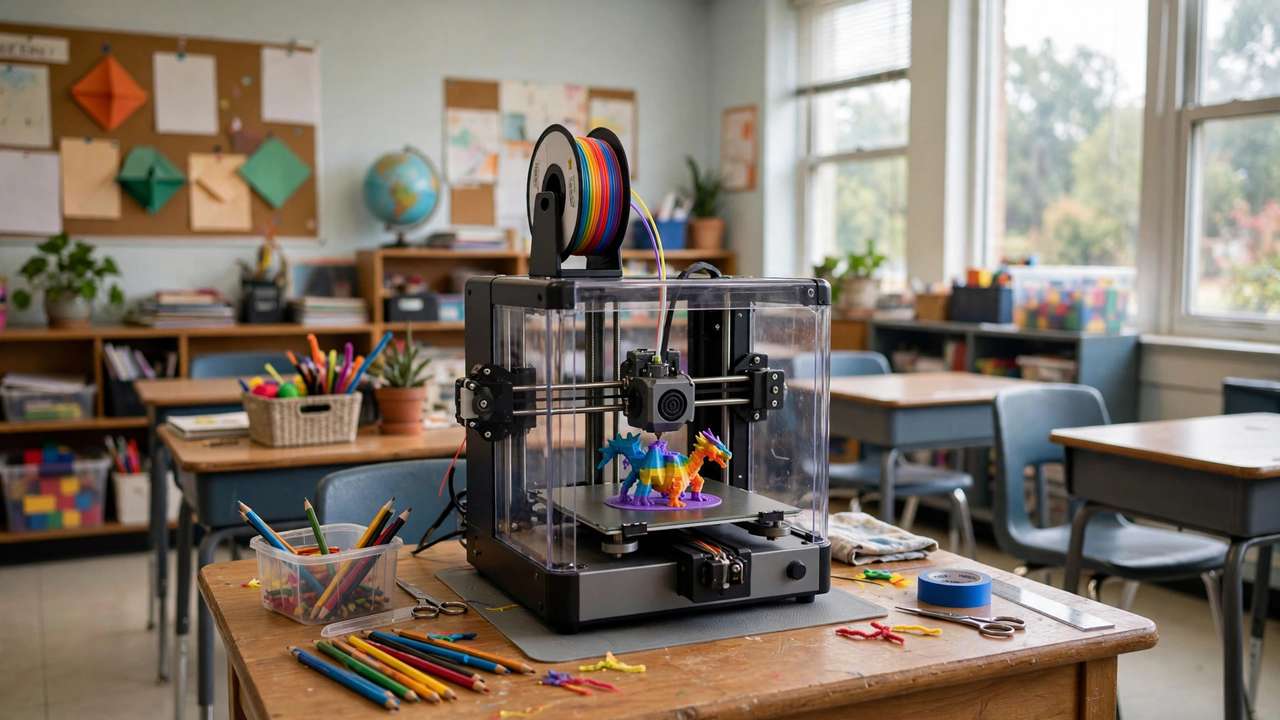
Choosing the best 3D printer for schools Australia-wide isn’t like buying one for home. Classrooms need enclosed machines with air filtration, dead-simple operation for time-poor teachers, and local support when things go wrong. Get it right and 3D printing transforms STEM learning; get it wrong and you’ve bought an expensive dust collector. This 2026 guide compares the top classroom picks available in Australia on safety, ease of use, curriculum support, and real value — everything a best 3D printer for schools Australia shortlist needs.
Best 3D Printer for Schools Australia: What Classrooms Need
School requirements differ sharply from hobbyist ones:
- Enclosed chamber: Non-negotiable. It keeps little fingers away from 200°C+ hotends and contains emissions.
- Air filtration: HEPA + activated carbon filtration is the 2026 standard for classroom air quality — it captures ultrafine particles and VOCs from heated plastics.
- Zero-fuss operation: Auto bed levelling, auto calibration, reliable first layers. Teachers don’t have prep periods to spend tuning printers.
- Quiet: It’ll run during lessons. Loud printers don’t survive the staff room test.
- Local support & warranty: Australian reseller support, ideally with education experience.
- Curriculum & training: Lesson plans, teacher PD, and student-friendly design software multiply the printer’s value enormously.
Best 3D Printer for Schools Australia: Top Picks for 2026
1. Flashforge Adventurer 5M Pro — Best All-Round Classroom Pick
~$700+ AUD | 220 × 220 × 220 mm | Enclosed | HEPA + carbon filtration
The Adventurer 5M Pro is the machine Australian education specialists keep recommending, and it’s easy to see why. Fully enclosed with dual HEPA and activated carbon filtration, 600 mm/s speeds, automatic levelling, and a built-in camera — it ticks every classroom safety box while printing fast enough to complete student projects within lesson blocks. Makers Empire, the Australian education 3D printing company, rates it 9.5/10 for value in schools.
Best for: Primary and middle schools where safety compliance is the top priority.
Watch out for: Smaller ecosystem than Bambu Lab; check filament compatibility for specialty materials.
2. Bambu Lab P2S — Best Performance
~$900+ AUD | 256 × 256 × 256 mm | Enclosed | Carbon filtration
Bambu’s enclosed core-XY brings the famous “it just works” experience to the classroom: automatic everything, 600 mm/s, excellent print quality, and the Bambu Handy/Studio ecosystem for managing print queues. The larger build volume handles ambitious student projects. Makers Empire rates it 9/10 for schools.
Best for: Secondary schools and STEM labs wanting maximum capability.
Watch out for: Higher price; cloud-based workflow may raise IT policy questions (LAN mode available).
3. MakerBot Sketch — Best Education Ecosystem
Education pricing varies | Enclosed | Carbon filtration
MakerBot built the Sketch specifically for classrooms, and it shows: cloud-based print queue management for teachers, hundreds of hours of ISTE-aligned lesson plans included, and a workflow designed around non-technical educators. The hardware is solid rather than spectacular — you’re buying the ecosystem.
Best for: Schools prioritising curriculum integration over raw specs.
Watch out for: Proprietary filament ecosystem can cost more long-term; verify current AU pricing.
4. Bambu Lab A1 Mini Combo — Best Budget Fleet Option
$529 AUD | 180 × 180 × 180 mm | Open frame
The A1 Mini is not enclosed, so it’s not the pick for young students — but for secondary schools on tight budgets, a fleet of 3–4 A1 Minis ($1,600–$2,100 total) gives incredible throughput for the money. Multi-colour printing is a huge student engagement win. Supervise placement carefully given the open design.
Best for: Budget-conscious secondary schools; supervised maker spaces.
Watch out for: Open frame = not suitable for primary classrooms; no HEPA filtration.
Head-to-Head Comparison
- Safety: Adventurer 5M Pro (HEPA + enclosed) > P2S (enclosed) > Sketch (enclosed) > A1 Mini (open)
- Ease of use: P2S ≈ A1 Mini > Adventurer 5M Pro > Sketch
- Curriculum: Sketch > Adventurer 5M Pro (via Makers Empire) > P2S > A1 Mini
- Value: A1 Mini fleet > Adventurer 5M Pro > P2S > Sketch
- Build volume: P2S (256³) > Adventurer 5M Pro (220³) > A1 Mini (180³)
Safety: What the Research Says
Classroom 3D printer safety comes down to three things:
- Enclosure: Physical barrier against hot surfaces and moving parts. This alone eliminates most injury risk.
- Filtration: HEPA captures ultrafine particles; activated carbon adsorbs VOCs. Together they reduce emissions by up to 99% versus open-frame printing.
- Material choice: Stick to PLA and PETG in schools. Avoid ABS/ASA (styrene emissions) and never print unknown filaments.
Place printers in ventilated areas away from constant student traffic, and establish a simple rule: students design, teachers (or trained student monitors) operate.
Budget Planning: The Real Cost
Schools consistently underestimate total cost of ownership. Budget for:
- Printer(s): $500–$1,000 each depending on pick
- Filament: $30–$45/kg PLA in Australia; a busy classroom uses 1–2 kg/month
- Spare parts: nozzles, build plates — budget ~$100/year per printer
- Filters: HEPA/carbon replacements per manufacturer schedule
- Training: the highest-ROI spend — a trained teacher uses the printer 10× more
A realistic first-year budget for a single-printer classroom setup: $1,200–$1,800 AUD all-in.
Software: What Students Should Use
- Tinkercad (free, browser-based) — the default starting point; perfect for Years 3–8
- Makers Empire 3D app — Australian-made, curriculum-aligned, designed for primary students
- Fusion 360 (free for education) — for secondary students ready for real CAD
- Bambu Studio / FlashPrint — the slicers matched to your printer; both student-friendly
Getting Buy-In: Tips for Teachers
- Start with one curriculum win: print one thing that makes a hard concept click (molecular models, historical artefacts, maths manipulatives)
- Document everything: photos of student work are your budget-renewal ammunition
- Train student experts: two trained Year 6/Year 8 students can handle 90% of day-to-day printing
- Join the community: Australian educator groups share lesson plans freely — don’t reinvent the wheel
Verdict
For most Australian schools in 2026, the Flashforge Adventurer 5M Pro (~$700+ AUD) is the safest all-round recommendation: enclosed, HEPA-filtered, fast, and backed by AU education specialists. That is our best 3D printer for schools Australia pick for 2026. Stretch to the Bambu Lab P2S (~$900+ AUD) for maximum capability in secondary STEM labs, or build an A1 Mini fleet for unbeatable budget throughput. Whichever you choose, invest in teacher training — it’s the difference between a transformative tool and an expensive paperweight.
Setting up a maker space? See our 3D printing guides for beginners.
Funding Your School Printer in Australia
Budget is the #1 blocker for schools. Options worth exploring:
- STEM grants: state and federal STEM programs periodically fund technology purchases — check your state education department’s current grants calendar
- P&C / parent fundraising: a 3D printer is a tangible, exciting fundraising target; “help buy our 3D printer” outperforms generic appeals
- Maker-in-schools programs: organisations like Makers Empire partner with schools on bundled hardware + curriculum + training packages
- Start small, prove value: one $700 printer with documented student outcomes is the strongest possible case for expanding to a fleet
- Shared resources: some school clusters share a printer library across campuses before committing per-school
Classroom Project Ideas by Year Level
Years 3–4: First Contacts
- Print their name in 3D letters (Tinkercad’s text tool) — instant engagement
- Simple keychains and bag tags they design themselves
- Cookie cutters for a maths-meets-cooking lesson
Years 5–6: Building Skills
- Design a container to hold a specific object (measurement + iteration)
- Historical artefacts for HASS — print a Roman coin, an Egyptian scarab
- Simple machines: print gears and explore mechanical advantage
Years 7–10: Real Engineering
- Bridge-building challenge with weight testing (physics + design iteration)
- Prosthetic hand models exploring biomechanics
- Data visualisation: print 3D bar charts of class survey data
- Entrepreneurship: design, cost, and “pitch” a product (cross-curricular gold)
IT, Network and Safety Policies
School IT departments have legitimate concerns — address them proactively:
- Cloud vs LAN: Bambu’s cloud workflow may conflict with school IT policies; LAN-only mode or Flashforge’s local workflow sidesteps this entirely — raise it with IT before purchase, not after
- Student accounts: Tinkercad and similar tools need student logins — check your school’s policy on under-13 accounts and parental consent
- Print queue management: decide who can start prints and when — an unmanaged queue becomes chaos by week three
- Risk assessment: most schools require one for new equipment; enclosed + filtered + PLA-only makes this straightforward — document it once and reuse yearly
Measuring Success: Proving the Investment
- Usage logs: track print hours and project counts — “347 student projects printed this term” is powerful
- Student portfolios: photos of work with design reflections; doubles as assessment evidence
- Cross-curricular uptake: count the subject areas using the printer — the more departments involved, the safer the budget
- Student voice: short surveys on engagement and confidence — administrators love quotable student feedback
Second-Hand and Refurbished: Worth It for Schools?
- Generally no for classrooms. Schools need reliability and warranty — a second-hand printer with unknown history is a support burden teachers can’t absorb.
- Exception: manufacturer-refurbished units with warranty from AU resellers can save 20–30% — acceptable if the warranty is real.
- Donations: gratefully accept hobbyist-donated printers for the maker club, not the classroom — perfect for tinkering, wrong for curriculum reliability.
- What to do with old printers: retire classroom machines to the student maker space rather than binning them — a 5-year-old printer is still a great learning tool, just not a reliable lesson tool.
Classroom Layout and Printer Placement
- Ventilation first: place near windows or in a ventilated storeroom — even filtered printers benefit from fresh air exchange
- Stable bench: a solid, level bench away from high-traffic bumps; printers and passing students don’t mix
- Visibility: students love watching prints — a visible-but-protected location (behind a low barrier or in a nook) satisfies curiosity safely
- Power: dedicated circuit if running multiple printers; a single printer is fine on a normal outlet but avoid power boards stacked with other loads
- Fire safety: smoke detector in the room, and never run printers in unoccupied buildings overnight unless your school’s policy explicitly allows it
- Filament storage: a sealed tub with desiccant near the printer — dry filament is reliable filament, and damp school-store filament is the #1 cause of “the printer stopped working”
Training Resources for Teachers (Australia)
- Makers Empire: Australian-made professional development, curriculum, and the student app — the most classroom-ready package
- State STEM hubs: several states run hands-on 3D printing PD days for teachers — check your department’s events
- YouTube educators: classroom-focused channels cover everything from first setup to advanced projects
- Peer networks: Australian teacher Facebook groups for 3D printing share troubleshooting and lesson ideas daily
- Vendor training: ask your reseller what’s included — many AU education suppliers bundle onboarding training with school purchases
Budget one full PD day per teacher before the printer meets students. It’s the highest-ROI line item in the whole project.
Final thought for decision-makers: the question isn’t really “which printer” — it’s “which learning outcomes.” A printer that runs reliably with trained teachers and good curriculum transforms a classroom; the same printer gathering dust transforms nothing. Choose the machine, then invest equally in the people. That’s the whole secret.
Remember: the best classroom printer is the one teachers actually use. Reliability, simplicity, and support beat raw specifications every single time. Choose accordingly, train thoroughly, and watch what your students create.
Choose the machine, train the teachers, and document the wins. Do those three things and your school’s 3D printing program will thrive where others gather dust.
Frequently Asked Questions
What is the best 3D printer for Australian schools in 2026?
Flashforge Adventurer 5M Pro (~$700+ AUD) — enclosed, HEPA + carbon filtration, education-proven. Bambu Lab P2S (~$900+) for max capability.
Are 3D printers safe for classrooms?
Yes with enclosed + HEPA-filtered printers, PLA/PETG only, ventilation, and teacher supervision. Avoid open frames and ABS in schools.
How much does a school 3D printer setup cost?
$1,200–$1,800 AUD first year all-in: printer, filament, spares, filters, and training.
What software should students use?
Tinkercad (primary), Makers Empire app (AU curriculum-aligned), Fusion 360 free for education (secondary).
Can schools use open-frame 3D printers?
Not recommended for primary — no hotend protection or filtration. OK for supervised secondary maker spaces only.
Prices checked October 2026. Education pricing varies — contact Makers Empire (Australian education 3D printing specialists) for school quotes.