There is something magical about pulling a print off the bed that looks and smells like wood but came out of a plastic printer. 3D printing wood filament opens a whole category of projects — rustic signs, jewellery, decorative boxes, cosplay props — with a finish no standard plastic can match. But wood filament has quirks that catch beginners off guard: clogs, stringing, and inconsistent colour. This guide covers everything that actually matters, from settings to post-processing tricks that make prints look genuinely wooden.
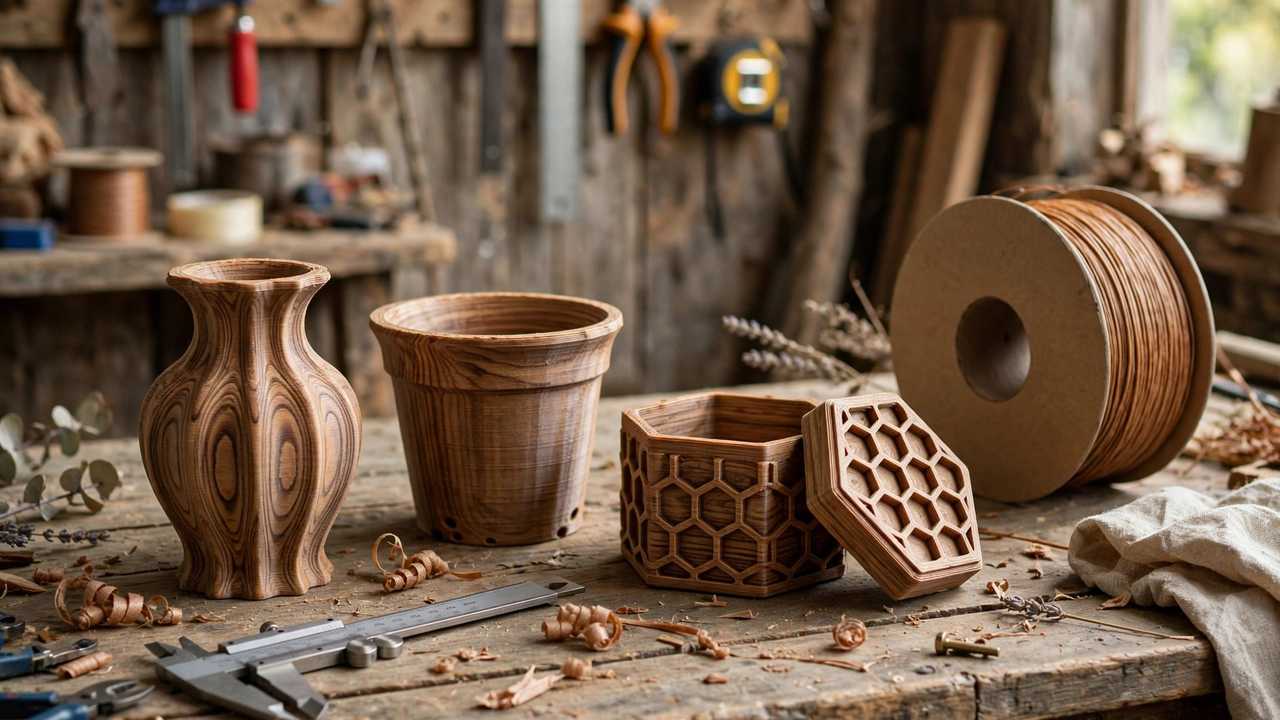
First, understand what wood filament is: typically PLA blended with 20–40% fine wood fibres or wood dust (bamboo, cork, and pine variants exist). It prints much like PLA but with the personality of a natural material — including the tendency to clog nozzles and change colour with temperature, which turns out to be a feature, not a bug. Once you learn its habits, it becomes one of the most rewarding materials in your collection.
Essential Print Settings
- Nozzle temperature: 190–210°C (start at 200°C)
- Bed temperature: 50–60°C
- Print speed: 30–50 mm/s (slower than plain PLA)
- Layer height: 0.2 mm works well; 0.12 mm for fine detail
- Retraction: 4–6 mm Bowden / 1–2 mm direct drive, moderate speed
- Cooling fan: 100% after first layers (like PLA)
The headline rule: print cooler and slower than PLA. Wood fibres scorch above ~215°C, producing dark blobs and burnt smells. Staying at 200°C or below keeps colours consistent and clogs at bay.
3D Printing Wood Filament Without Clogs
Wood filament clogs more than any standard material, and the cause is always the same: wood particles accumulating in the nozzle, especially with small nozzle diameters. The fixes are well established:
- Use a 0.5 mm or 0.6 mm nozzle. This is the single most effective change. A 0.4 mm nozzle can work but clogs far more often; the larger orifice passes fibres freely. Brass is fine — wood filament is not particularly abrasive despite containing particles.
- Keep temperatures moderate. Scorched fibres carbonise and jam. If you see dark flecks or hear popping, drop 5°C.
- Do not let it sit hot and idle. Wood filament cooking in a hot nozzle during long pauses is a clog waiting to happen. If the printer idles hot for more than a few minutes, retract or unload.
- Print continuously. Long prints with constant extrusion clog less than stop-start prints with lots of retractions. When you finish a wood print, do a cold pull or purge with plain PLA to clear residual fibres.
The Temperature-Colour Trick
Here is wood filament’s secret superpower: colour varies with temperature. Print hotter and the wood fibres darken; print cooler and they stay light. Makers exploit this deliberately — varying nozzle temperature by layer or region to create wood-grain effects, darker “burnt” accents, or gradient shading that looks remarkably like real timber variation.
In practice: slice the model, then use your slicer’s temperature-by-height or modifier-mesh features to run hotter (205–210°C) on sections you want dark and cooler (190–195°C) where you want light. Test on a small swatch first — the effect varies by brand. Some makers even hand-paint temperature changes mid-print for artistic pieces. It is the closest thing 3D printing has to pyrography.
Stringing and Surface Quality
Wood filament strings more than plain PLA thanks to the fibres. Combat it with the standard arsenal: tuned retraction, higher travel speeds (150 mm/s+), and slightly lower temperature. Combing mode (in Cura) or avoid crossing perimeters (PrusaSlicer) keeps the nozzle inside the model during travels, hiding strings where they cannot be seen.
Layer lines show more on wood prints than on plain plastic — the matte, fibrous surface catches light unevenly. A 0.12–0.16 mm layer height dramatically improves the look for display pieces. And unlike glossy PLA, wood filament hides small imperfections well; the natural texture is forgiving of minor flaws that would stand out on silk filament.
3D Printing Wood Filament: Post-Processing (Sanding, Staining, Sealing)
This is where wood prints transform from “interesting” to “wait, that’s 3D printed?” The fibrous composition sands beautifully:
- Sanding: start at 120 grit, work up to 220–320. The material sands like softwood — easy and fast. Always sand with the “grain” direction of the print where possible.
- Staining: real wood stains work on wood filament. Apply sparingly — the PLA base absorbs stain differently from solid wood, so test on a scrap piece first. Gel stains give the most even, controllable results.
- Sealing: polyurethane, lacquer, or even beeswax finish the piece and deepen the colour. Unsealed wood prints absorb moisture and skin oils over time, dulling the finish.
- Wood-burning: yes, you can use a pyrography pen on wood filament prints. The material chars like thin wood. Practice on scraps — it burns faster than solid timber.
A sanded, stained, and sealed wood-filament box is genuinely difficult to distinguish from a wooden one at arm’s length. For gifts and craft-market products, this finish quality commands real prices — see our guide to making money with a 3D printer in Australia for the business angle.
Best Wood Filament Brands
Quality varies enormously. Established options include Hatchbox Wood (reliable, consistent colour), eSun Wood (widely available in Australia, good value), and premium European brands like ColorFabb WoodFill — ColorFabb’s material guides are worth reading for their detailed printing advice on filled filaments generally. Bamboo-filled variants print slightly cleaner than pine-based ones in most makers’ experience, with less clogging.
Whatever brand you buy, check reviews for your specific printer type — a filament that runs beautifully on a direct-drive Prusa may clog relentlessly on a Bowden Ender, purely due to the retraction and heat-break differences. When trying a new brand, buy one spool first, not five. And keep notes on what temperature and speed worked — wood filaments vary enough between brands that your settings are worth recording.
What to Print (and What to Avoid)
Great for 3D printing wood filament: signs and plaques, decorative boxes, vases, jewellery (pendants, earrings), cosplay props needing a wooden look, drawer knobs and handles, picture frames, game pieces.
Avoid: functional load-bearing parts (wood PLA is weaker than plain PLA — the fibres interrupt layer bonding), anything needing precise tolerances (the fibrous surface and slight dimensional variance work against precision), and food-contact items (layer lines harbour bacteria regardless of material).
Strength note: expect roughly 70–80% of the strength of plain PLA from the same brand. Design accordingly — thicker walls, gentler loads.
Advanced Finishing: Beyond Sanding and Stain
Once you have mastered basic sanding and staining, several advanced techniques elevate wood prints further. Wire brushing with a brass brush along the layer direction accentuates the fibrous texture, creating a weathered, reclaimed-timber look that stain alone cannot achieve. Work gently — the goal is to raise the grain slightly, not tear the surface.
Limming (whitewashing) gives pale, coastal-style finishes: brush watered-down white paint into the sanded surface, then wipe back with a cloth so white remains only in the texture recesses. On wood filament this looks remarkably like limed oak. Ebonising goes the opposite direction — black stain or India ink built up in layers produces a near-black finish that makes a stunning contrast piece next to natural-tone prints.
For a genuinely premium feel, try friction polish (the kind woodturners use): apply while the piece spins — or by hand with vigorous rubbing — and the shellac-based polish melts into a hard, glossy coat in minutes. It is faster than polyurethane and gives a warm lustre that photographs beautifully. Whatever finish you choose, apply thin coats and let each cure fully; impatience is the enemy of good finishing.
Troubleshooting Wood Filament
Constant clogging mid-print: beyond the nozzle-size fix, check that your hotend fan is running properly — heat creep softens filament too high in the heat break, and wood fibres make the resulting jam worse than with plain PLA. Ensure the heatsink is clean and the fan unobstructed. If clogs persist with a 0.6 mm nozzle, the filament itself may have inconsistent fibre distribution — try a different brand.
Inconsistent colour banding: usually temperature fluctuation. Check that your PID tuning is solid (temperature swinging ±5°C visibly bands wood prints), and avoid draughts across the printer. Some banding is inherent to the material — embrace slight variation as part of the wood aesthetic rather than fighting for plastic uniformity.
Rough, fuzzy surfaces: often a sign of printing too hot or too fast. Drop 5°C and slow outer walls to 30 mm/s. Also check for wet filament — moisture turns wood prints rough and pitted, and the fibres seem to amplify the effect compared to plain PLA.
Weak layer adhesion: wood filament needs good interlayer bonding to compensate for the fibres interrupting the plastic matrix. Print at the warmer end of the brand’s range (205–210°C) for functional pieces, slow down, and consider 3–4 walls minimum. If a part must bear load, reconsider whether wood filament is the right material at all — plain PETG will outperform it significantly.
Project Ideas Worth Trying
Rustic house signs: the classic 3D printing wood filament project for a reason. Print flat at 0.2 mm, sand smooth, stain in your chosen tone, seal with exterior polyurethane, and you have a sign that survives on a front fence. Add raised lettering by modelling text 2 mm proud of the base — it prints cleanly and looks professionally routed.
Decorative bowls and vases: use vase mode (spiralise) for single-wall prints that show off the material beautifully. The continuous extrusion avoids retraction clogs entirely, making vase mode one of the most reliable ways to print wood filament. A light stain and wax finish completes the look.
Jewellery: pendants and earrings in wood filament are lightweight, hypoallergenic, and take stain gorgeously. Print at 0.12 mm for fine detail, sand carefully (small pieces are fiddly — use needle files), and seal with skin-safe finish. They sell well at craft markets precisely because they do not look 3D printed.
Game pieces and tokens: wood filament gives board-game upgrades a premium, artisanal feel that plain plastic cannot match. Resource tokens, player markers, and dice towers all benefit. The slight texture even improves grip.
Knobs and handles: replacement drawer knobs, cabinet pulls, and tool handles are practical prints where the wood look is genuinely appropriate. Design with a brass threaded insert (heat-set) for the mounting — printed threads in wood filament strip too easily for repeated use.
Storage and Handling
Wood filament absorbs moisture like plain PLA — arguably faster, since the wood fibres are hygroscopic. Store in sealed bags with desiccant; a spool left out in a humid Australian summer prints noticeably worse within weeks, with more stringing and rougher surfaces. If a spool goes “off,” drying at 50–55°C for 4–6 hours usually revives it (keep temperatures low — you are drying, not baking).
Handle with slightly more care than PLA: the filament is a touch more brittle, and sharp bends can snap it unexpectedly. Feed it through your extruder path gently, checking for tight-radius bends that stress the filament.
Frequently Asked Questions
What nozzle size is best for wood filament?
0.5 mm or 0.6 mm. Larger nozzles pass wood fibres freely and clog far less than 0.4 mm. Brass nozzles are fine — wood filament is not highly abrasive.
Can you stain 3D printed wood filament?
Yes — real wood stains work, with gel stains giving the most even results. Always test on a scrap piece first, as the PLA base absorbs stain differently from solid wood.
Why does my wood filament keep clogging?
The usual causes: 0.4 mm nozzle (switch to 0.5–0.6 mm), temperature too high (scorched fibres jam), or the filament sitting hot and idle. Purge with plain PLA after wood prints.
Is wood filament strong?
Moderately — roughly 70–80% of plain PLA’s strength. Fine for decorative items, not ideal for load-bearing functional parts.
Can you vary the colour by changing temperature?
Yes. Hotter extrusion darkens the wood fibres; cooler stays light. Varying temperature by layer creates convincing wood-grain effects.