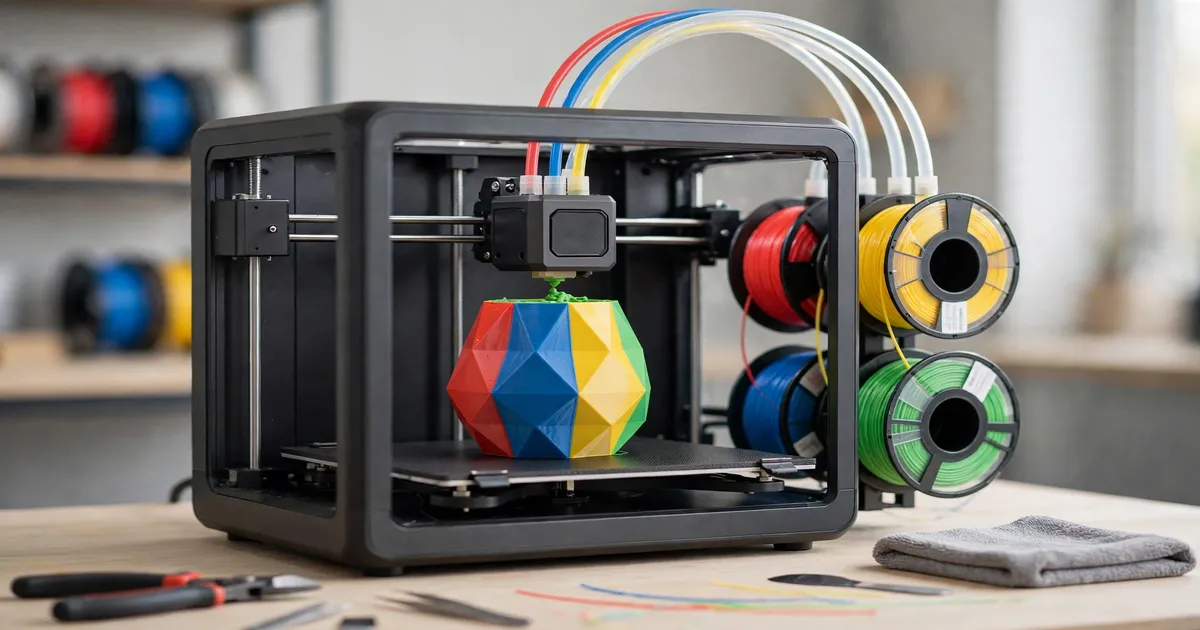
A multicolor 3D printer turns flat, single-colour prints into finished pieces with colour, labels, and mixed materials baked in. Instead of painting parts by hand or gluing separate prints together, the machine swaps filaments mid-print — sometimes dozens of times in a single job. This 2026 edition refreshes our 2025 guide with the models Australians can actually buy right now, with prices verified at local retailers in October 2026.
Every pick below has been checked for Australian availability and priced from real local listings. Prices move often — especially with Bambu Lab's end-of-October sales — so treat the figures as a snapshot and confirm on the retailer's page before you order.
Quick Picks: Best Multicolor 3D Printer for Every Budget
Short on time? Here is the whole list in one glance:
| Pick | For | Verified AU price |
|---|---|---|
| Bambu Lab A1 Combo | Best overall | $649 |
| Bambu Lab A1 Mini Combo | Best budget | $529 |
| Bambu Lab P1S Combo | Best enclosed printer | $829 |
| Anycubic Kobra 3 Combo | Best value alternative | $349 |
| Bambu Lab H2D Combo | Best large format | $2,799 |
| Prusa XL (5-tool) | Best premium toolchanger | ~$7,000 |
The 6 Best Multicolor 3D Printers You Can Buy in Australia in 2026
1. Bambu Lab A1 Combo — Best Overall Multicolor 3D Printer
The A1 Combo remains the safest recommendation for most Australian buyers. You get the full-size A1 (256 × 256 × 256 mm build volume) bundled with the AMS Lite, a four-spool holder that feeds different colours or materials into the printer automatically. Full-auto calibration handles bed levelling, vibration, and flow for every job, and it prints at up to 500 mm/s while staying quiet enough for a home office.
Verified price: $649 AUD — listed at both Core Electronics and JB Hi-Fi (October 2026). Bambu Lab's AU store was also previewing a Black Friday price of $579 for the A1 Combo from 27 October, so it may be worth timing your purchase.
- Why this pick: the best balance of price, ease of use, and multicolour reliability anywhere near this money. The AMS Lite's filament backup feature also burns through partial spools automatically.
- Watch out: it is an open-frame printer, so it is not ideal for ABS or ASA without a warm room — and the AMS Lite sits outside the machine, so it needs desk space.
2. Bambu Lab A1 Mini Combo — Best Budget Multicolor 3D Printer
If your budget tops out around $500, the A1 Mini Combo is the cheapest way into serious four-colour printing. It is the same AMS Lite system as its big sibling, just paired with a smaller 180 × 180 × 180 mm printer. Setup is genuinely quick, calibration is automatic, and print quality punches well above the price.
Verified price: $529 AUD at 3D Printer Superstore; Core Electronics lists the same combo at $526.35 AUD (October 2026).
- Why this pick: nothing else this cheap does four-colour printing this reliably. Perfect as a first printer, a second machine, or for kids and classrooms.
- Watch out: the 180 mm build volume rules out larger projects, and the open frame shares the A1's limits with temperature-sensitive materials. Budget extra for filament, because multicolour prints purge more material between swaps.
3. Bambu Lab P1S Combo — Best Enclosed Multicolor 3D Printer
The P1S Combo pairs Bambu's original AMS (four slots, stackable to 16 colours with four units) with an enclosed CoreXY printer. The enclosure keeps a steadier chamber temperature, which makes ABS and ASA far more forgiving than on an open-frame machine. At 500 mm/s with automatic bed levelling and a built-in camera, it is the workhorse pick for people who want to print more than PLA and PETG.
Verified price: $829 AUD at The Good Guys (October 2026). Bambu's AU store previewed the P1S AMS2 Pro Combo at $899 with a $799 Black Friday price from late October — a different bundle, but a useful cross-check on where pricing sits.
- Why this pick: enclosed, fast, and proven — the P1S has one of the largest owner communities of any printer, so help is easy to find.
- Watch out: the stock AMS cannot feed flexible TPU through its internal path (feed TPU directly instead), and the first-gen AMS lacks the active drying of the newer AMS 2 Pro. After a multicolour print, take a minute to calibrate your printer properly so the next job starts clean.
4. Anycubic Kobra 3 Combo — Best Value Alternative
Anycubic's answer to the A1 Combo undercuts it substantially. The Kobra 3 Combo ships with the ACE Pro unit — a sealed, heated four-slot filament box that dries filament while it prints and supports up to eight colours with a second unit. The printer itself runs up to 600 mm/s with a 250 × 250 × 260 mm volume, 300 °C hotend, and LeviQ 3.0 auto-levelling. At this price it is the most multicolour printer per dollar on this list.
Verified price: $349 AUD at Jaycar (October 2026; stock status fluctuates, so check before ordering).
- Why this pick: a sealed, heated filament box is a genuine advantage in humid Australian summers, and the price leaves room in the budget for plenty of filament.
- Watch out: the Kobra ecosystem and community are smaller than Bambu's, so troubleshooting takes more digging. Anycubic has since released the Kobra 3 V2 Combo, so compare both before buying.
5. Bambu Lab H2D Combo — Best Large-Format Multicolor 3D Printer
For big or engineering-grade work, the H2D Combo is in a different class. Its true dual-nozzle system prints two materials at once — no purging between the left and right hotend — while the included AMS 2 Pro adds four-colour switching per unit (up to 25 colours in extreme multi-unit setups). The 350 × 320 × 325 mm build volume, 65 °C actively heated chamber, and 350 °C hotends handle ASA, polycarbonate, and carbon-fibre filaments that defeat cheaper machines.
Verified price: $2,799 AUD for the AMS Combo at Core Electronics; the machine-only version is $2,499 AUD at Core Electronics and cdsoft (October 2026).
- Why this pick: dual nozzles with dissolvable or breakaway supports cut print time and waste dramatically on complex parts, and the heated chamber tames warping on large ABS prints.
- Watch out: this is a heavy, power-hungry machine that needs a permanent home and good ventilation. The single-nozzle H2S Combo ($2,199 at Core Electronics) saves money if you do not need dual extrusion.
6. Prusa XL (5-Tool) — Best Premium Multicolor 3D Printer
The Prusa XL takes a completely different approach: instead of one nozzle that purges between colours, it parks up to five independent toolheads and swaps the whole hotend in seconds. The result is near-zero purge waste and genuinely clean multi-material prints — PLA with water-soluble supports, rigid plus flexible parts in one job. The 360 × 360 × 360 mm volume is the largest here, and Prusa's 2026 XL+ upgrade path adds a heated chamber reaching 60 °C.
Verified price: $6,999.99 AUD for the 5-tool semi-assembled kit at Australian reseller Rising Sun FPV (October 2026). Expect a long lead time and check current pricing with the reseller before committing.
- Why this pick: the toolchanger is the most waste-efficient, most capable multi-material system a home buyer can get. If you sell prints or run prototypes, the material savings add up fast.
- Watch out: the price is serious money, assembly or calibration of five toolheads takes patience, and it is overkill if you mostly print single-colour PLA. Work out your true cost per print first — multicolour jobs use more filament than you think.
How a Multicolor 3D Printer Swaps Colour Mid-Print
Almost every printer on this list uses one of two methods. Filament-switching systems (AMS, AMS Lite, ACE Pro, CFS) park several spools in a feeder box and push one colour at a time into a single nozzle, purging the old colour out between swaps. It is simple and cheap, but purging creates waste — sometimes more plastic than the part itself on colour-heavy models. Toolchanger systems (Prusa XL, Bambu H2D's dual nozzles) avoid most of that waste by switching hotends instead of filaments, but they cost far more.
Neither approach is "better" in the abstract. If you print colourful display models, a filament switcher is plenty. If you print engineering parts with soluble supports or run a small print business, a toolchanger pays for itself in saved material and time.
What to Look for Before You Buy
- Colour count vs. real needs. Four colours covers logos, labels, and most decorative prints. Eight or sixteen only matter for complex artwork.
- Purge waste. Ask how much filament a typical multicolour print wastes. Slicers can shrink purge towers, but they cannot eliminate them on single-nozzle systems.
- Enclosure. Open frames are fine for PLA and PETG. If you want ABS, ASA, or nylon, buy enclosed or plan to build one.
- Filament drying. Moisture ruins multicolour prints. Sealed, heated filament boxes (ACE Pro, AMS 2 Pro) earn their keep in humid climates.
- Community and parts. A printer is a long-term purchase. Big communities mean faster answers, cheaper spare parts, and more profiles when something goes wrong.
- Total cost. A $349 printer that wastes 40% of its filament on purge towers is not cheaper than a $649 one that wastes 15%. If you plan to sell your prints, price them properly for the Australian market so material costs do not eat your margin.
- Check what is actually in the box. Retailers sell most of these printers in two versions: machine-only and combo. Only the combo includes the colour feeder (AMS Lite, AMS, ACE Pro), and the price gap between the two is usually much smaller than buying the feeder separately later. If you want multicolour, buy the combo from day one.
Multicolor 3D Printing FAQs
How much does a multicolor 3D printer cost in Australia?
In October 2026, entry-level four-colour bundles start around $349 (Anycubic Kobra 3 Combo at Jaycar) and $529–$649 for the Bambu A1 range at local retailers. Mid-range enclosed options like the P1S Combo sit near $829, large-format machines like the H2D Combo run $2,499–$2,799, and the five-tool Prusa XL approaches $7,000 through Australian resellers.
Is multicolor 3D printing worth it for beginners?
Yes, if you buy the right machine. Modern bundles like the A1 Mini Combo handle colour changes automatically, so beginners can print multicolour models on day one. The main cost to understand is purge waste — budget extra filament and keep models' colour counts modest while you learn.
Do multicolor printers waste a lot of filament?
Single-nozzle systems purge the old colour before loading the new one, and that purged plastic adds up — sometimes rivalling the weight of the part itself. You can reduce it with smaller purge volumes in the slicer and by grouping colours sensibly. Toolchanger printers like the Prusa XL waste almost nothing by comparison.
Can I add multicolor to a printer I already own?
Sometimes. Bambu sells the AMS Lite and AMS 2 Pro separately for compatible printers, and Anycubic's ACE Pro works with its supported models. Check compatibility carefully — feeder systems are brand- and model-specific, and a standalone AMS can cost nearly as much as a budget combo.
Which is better: Bambu Lab AMS or Anycubic ACE Pro?
Both do the same job: feed up to four (or eight) filaments into one nozzle. The AMS ecosystem is larger and more refined after years of iteration, while the ACE Pro includes active drying as standard and usually costs less. For most buyers the deciding factor should be which printer you want, not which feeder — buy the machine first, the colour system second.
Multicolor printing has matured fast. In 2026 you no longer need to tinker for weeks to get clean colour changes — the machines on this list do it out of the box. Pick the one that matches your budget and the materials you actually print, verify the current price at an Australian retailer, and happy printing.